Copy a shift
Due to a work surplus, a client would need additional staff for the same type of shift with the same schedule, but for a different date, and you have already created the first shift in the system.
It is then possible to make a copy of the existing shift, saving you from having to specify information about the request, especially if you wish to assign the same candidate.
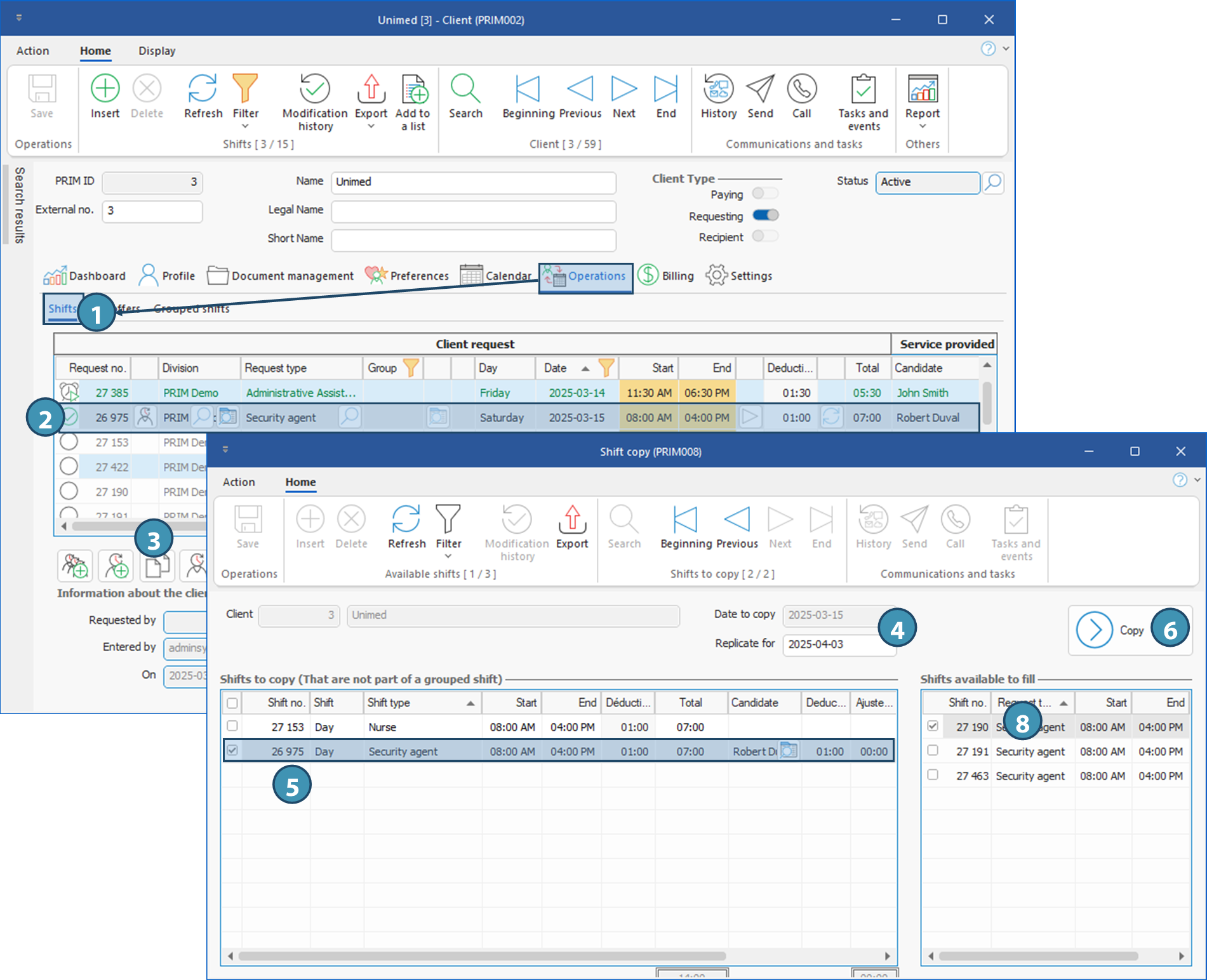
Shift copying is possible from the “Shift management” window and under the “Operations” tab in the “ Client ” window.
 Window - Shift copy (PRIM008)
This window is launched by clicking on the button To launch the operation, you must first select a line corresponding to a request to be copied. If more than one shift exists for the selected day, it will be possible to copy the different shifts in a single operation. It is not possible to copy shifts from a grouped request schedule. If a shift from a grouped request is selected, the button will remain grayed out.
Presentation de la fenêtre
The top section (A) shows details of the copy to be made: the Client, Date to copy, and the date to which you want to copy the selected shift(s) (Replicate for).
The left section (B) shows the existing shits at this client for the selected date to copy.
The right section (C) displays the list of vacant shifts for this client at the date entered in Replicate for, and with the criterai matching the entry ticked AND selected. For the shifts to be displayed, you must first select the date you want to replicate to.
|
 at the bottom of the table in the Operations pane of the Client window, or in the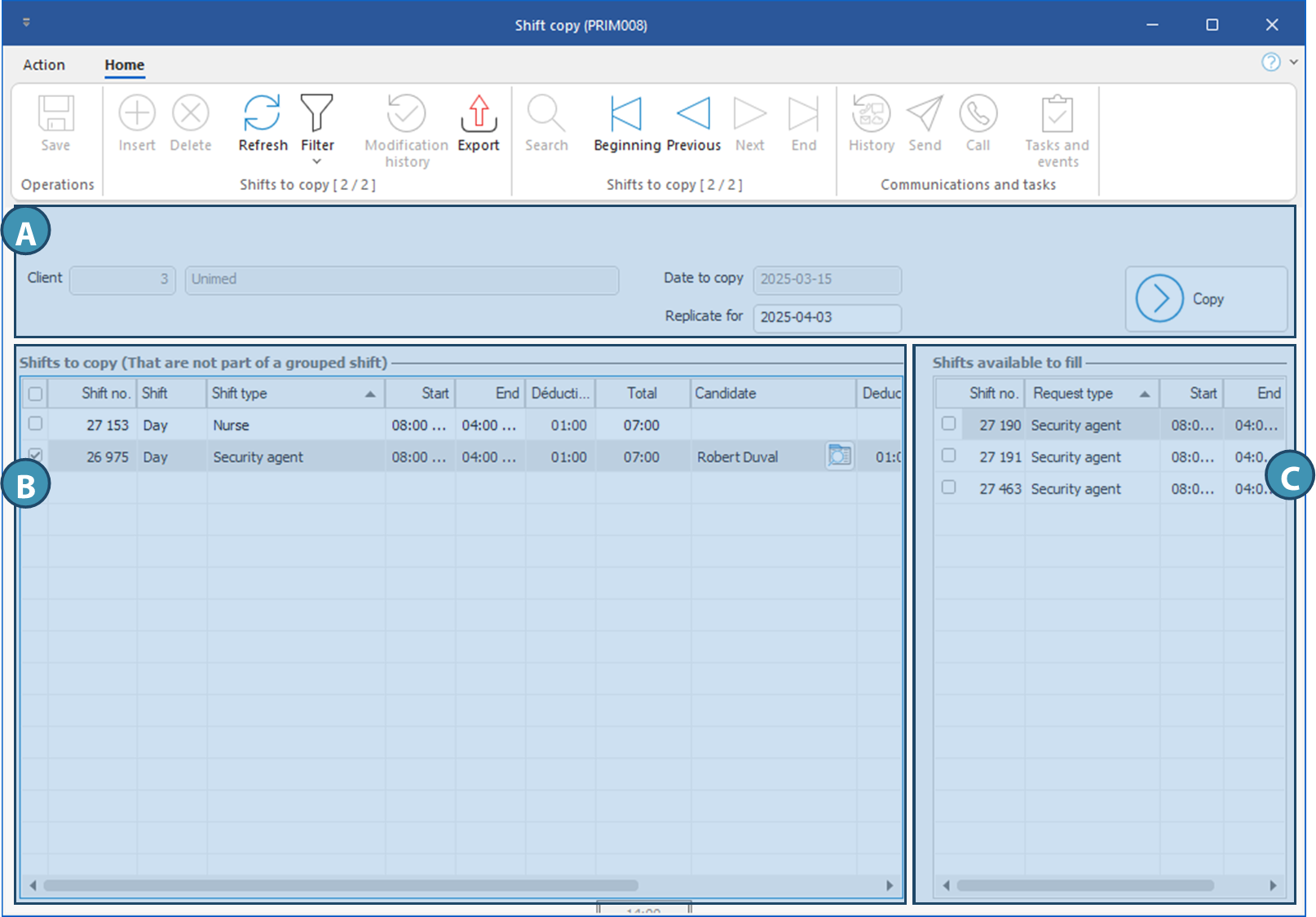
 Copy a shift