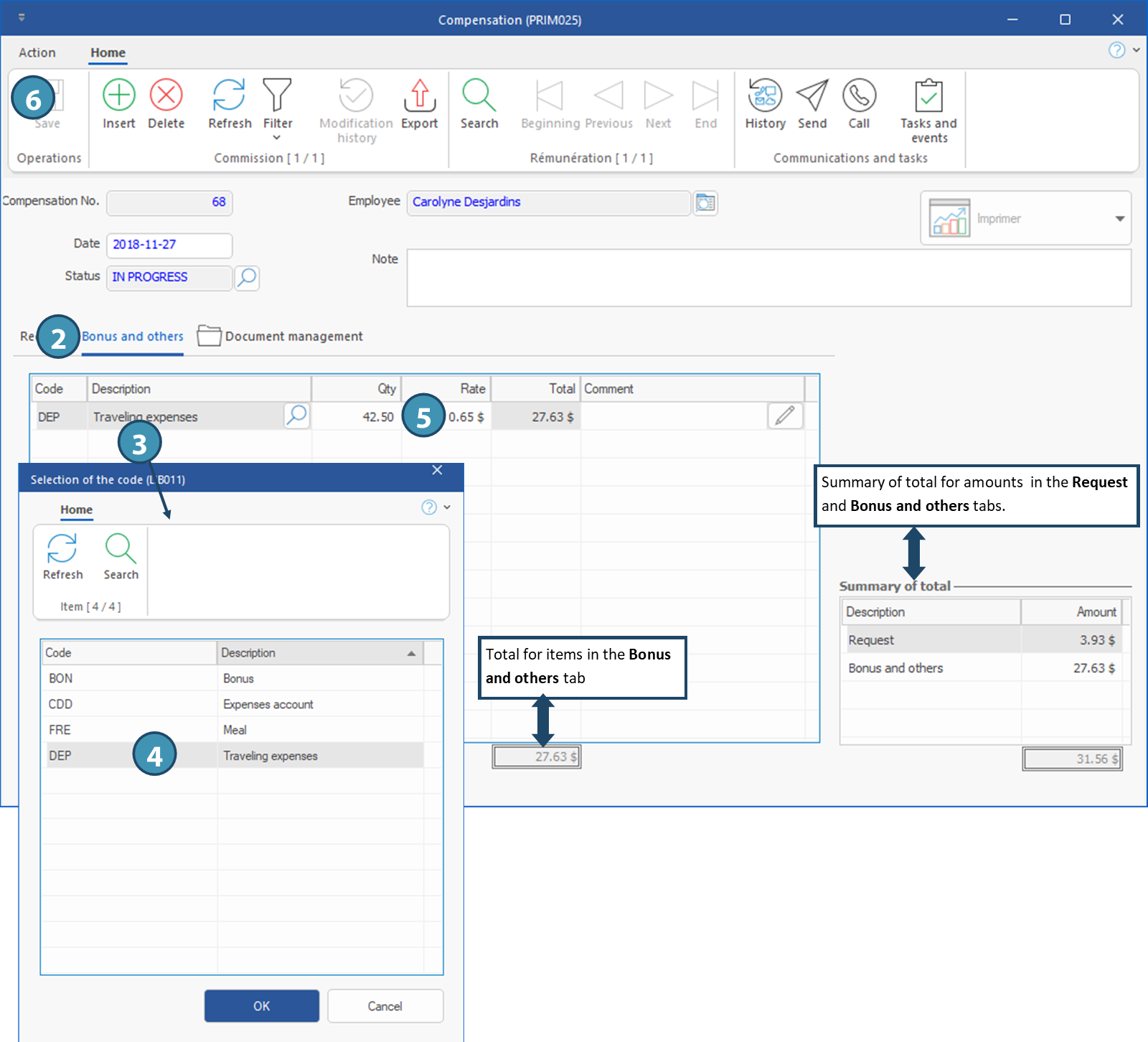
Window - Compensation (PRIM025)
The window "Compensation" displays the details of the selected compensation. It can be accessed from 2 windows:
•From Compensation management window, in Compensation history tab: click on  (Open file) to the right of the Compensation no. to open the window.
•From Employee window, in Compensation tab, Compensation history sub-tab: click on (Open file) to the right of the Compensation no. to open the window.
The "Requests” tab displays the commissions linked to the selected compensation, it doesn't allows any addition or modifications.
The "Document management" tab allows you to add, delete, or edit documents related to the compensation.
 Tab - Bonus and others
 (Save).