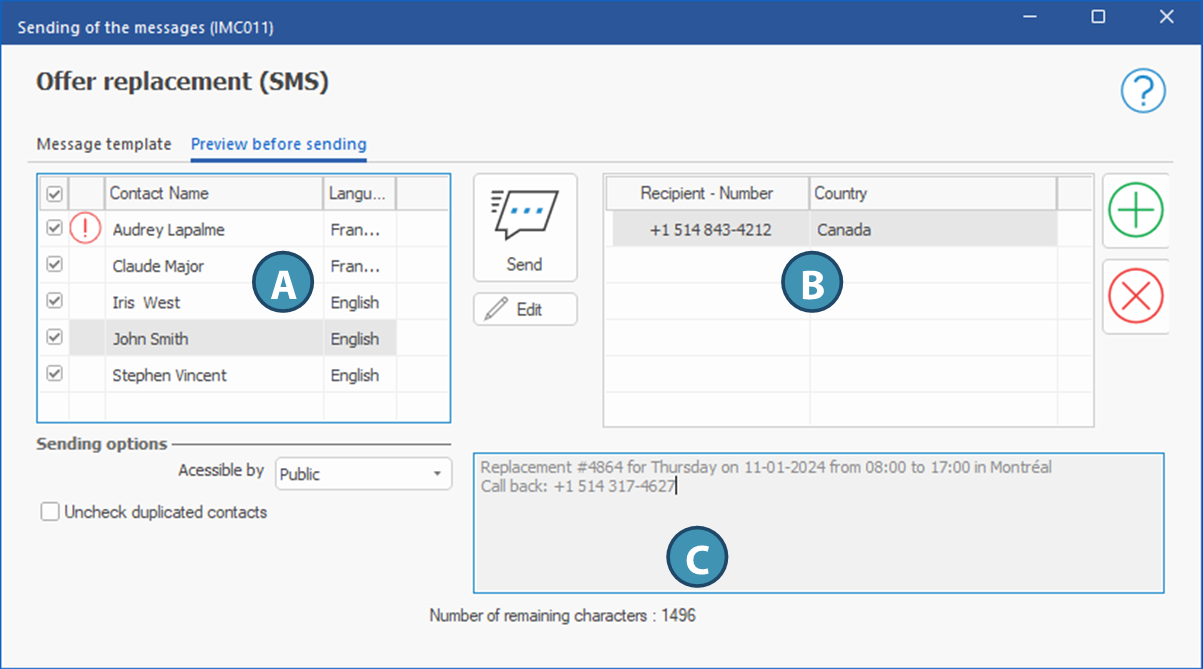
This tab wil allow you to preview the message before you send it. The content of the variables is now visible, for example the date of the shift or the division's phone number.
You also have the option to modify the message for the selected contact in the editing area. Just click on the Edit button. A star * will be displayed to the right of the contact's name if the message have been edited.
The SMS will be sent only to the contacts that have been ticked.
Description of items in the window
List of contacts (A): List of all contacts to who the message can be sent depending on the context. The SMS will be sent only to the contact where the check box have been ticked.
 : This icon indicates that there is an issue with the contact: missing a phone number with the property Phone number used for text messaging. : This icon indicates that there is an issue with the contact: missing a phone number with the property Phone number used for text messaging.
Send button: Will send the SMS to all selected contacts who have a phone number with the property for sending SMS.
Edit button: Allows you to modify the message displayed for the selected (highlighted) contact in the list of contacts. A star * will be displayed to the right of the contact's name if the message have been modified.
Accessible by: Drop-down menu allowing you to select the communication security group in order to restrict access to the communication to appropriate groups. A group is selected by default according to the context. Make sure to select the group with the lowest permissions that should be able to view the communication.
Uncheck duplicated contacts: Depending on the context, a contact may appear more than once in the list. If necessary, check this box to avoid sending the message to a same contact twice whithout having to unckeck them manually.
Recipients area (B): This section display the list of phone numbers to which the message will be sent for the selected contact.
 Allows you to add a phone number for sending to the selected contact. you can also click twice on an empty ligne, which will do the same thing. The number will only be added to the sending list, not to the contact's file. Allows you to add a phone number for sending to the selected contact. you can also click twice on an empty ligne, which will do the same thing. The number will only be added to the sending list, not to the contact's file.
 Allows you to delete a phone number for the selected contact. The number will only be deleted from the sending list, not from the contact's file. Allows you to delete a phone number for the selected contact. The number will only be deleted from the sending list, not from the contact's file.
Message area (C) : Provides a preview of the message for the selected contact. To modify it only for this contact, click on the Edit button. The field will not be grayed out anymore and you will be able to modify the message for this contact.
Number of remaining characters: Indicates the number of characters that can still be added to the SMS without trespassing the limit.
|
 (Send an email or SMS) in the "Home" ribbon of the window.
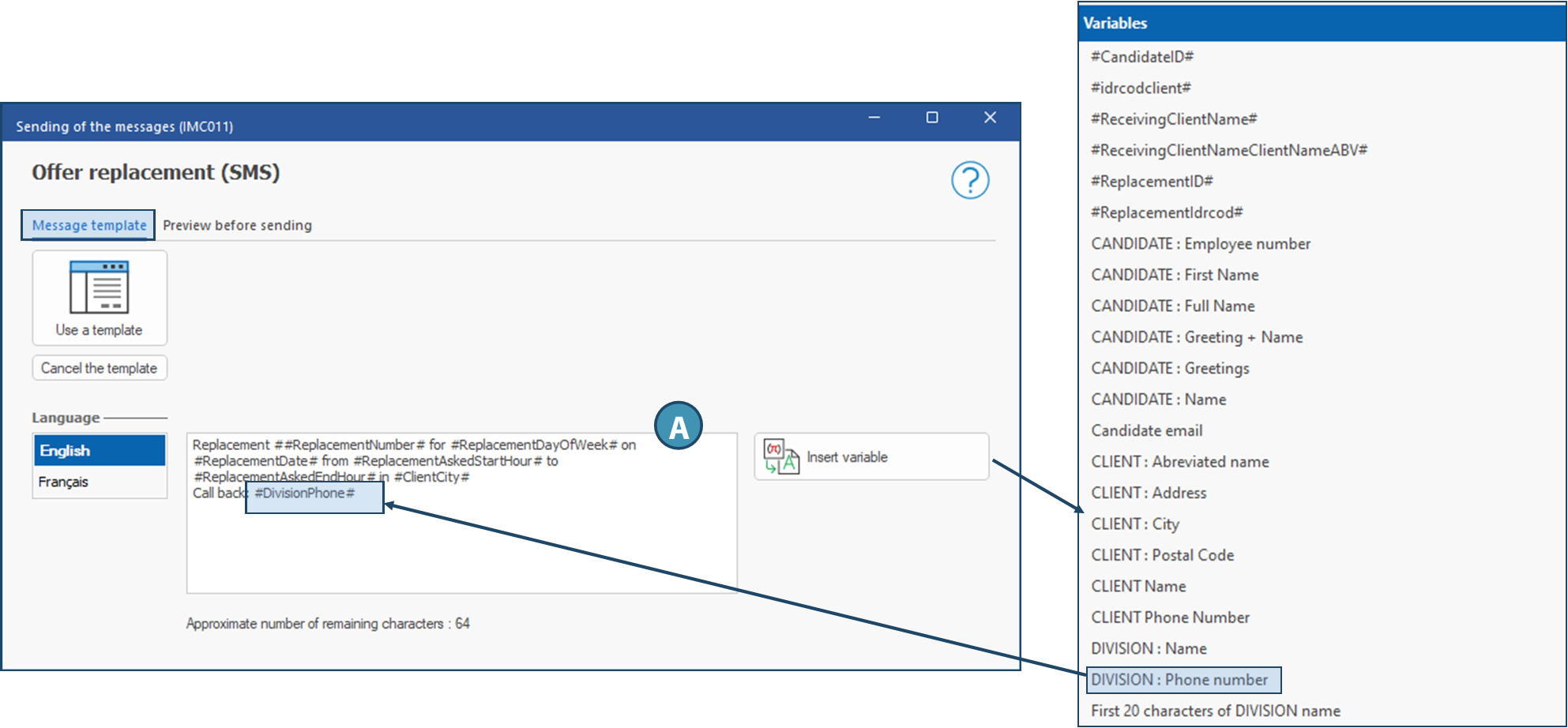
  Tab - Message template
 (Use a template): Click on this button to choose an existing SMS template.