The Search results pane
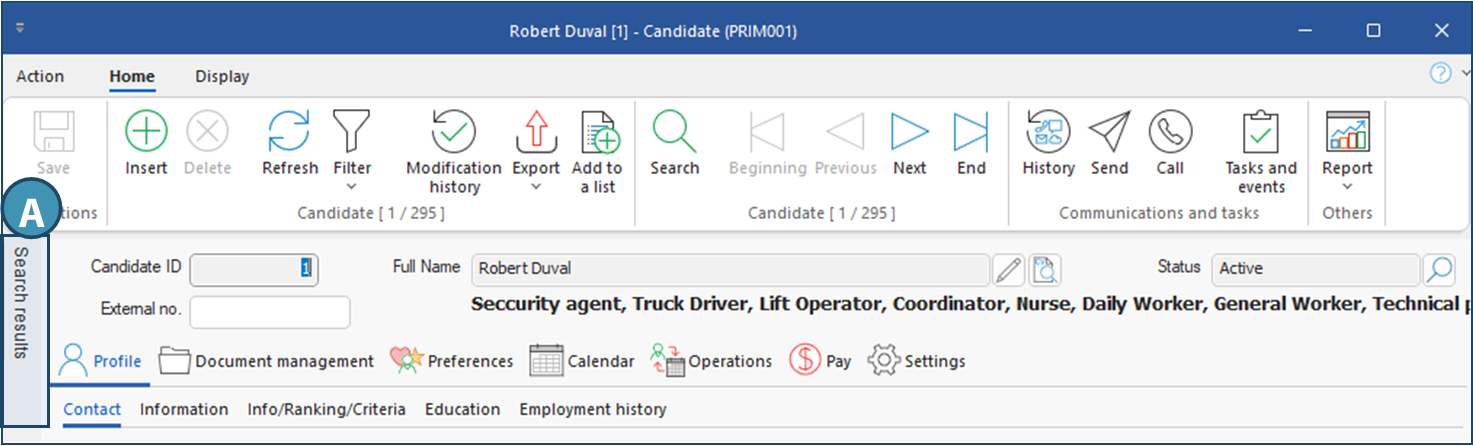
For any search performed in a PRIM window, the list of results is displayed in a pane on the left side of the window. This pane is hidden by default, but you can open it with a single click (A). Several actions are available from this pane; these may vary depending on the window in question. Here is an overview of the pane and the actions available in the candidate window.
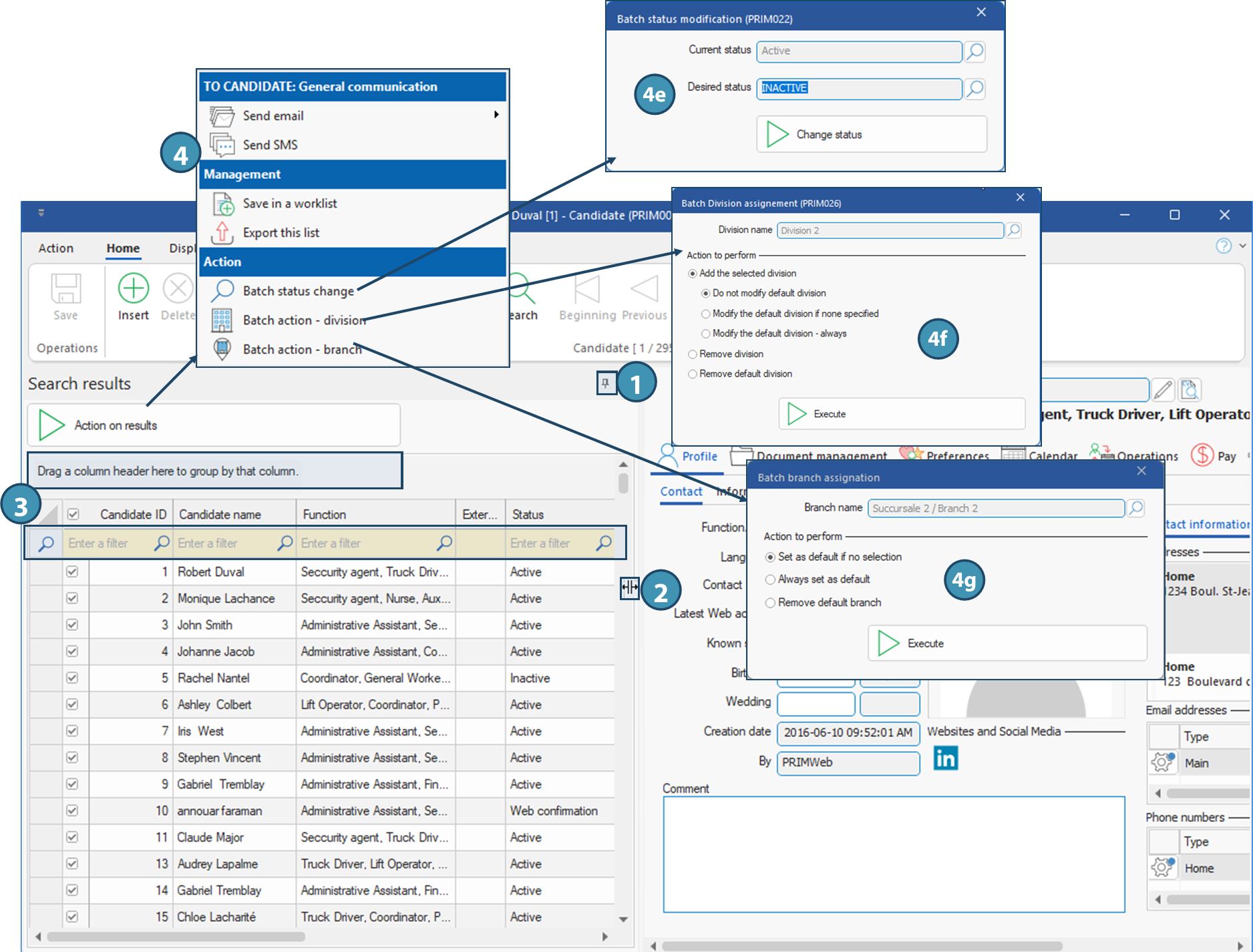
Overview of the Search results pane
1.To pin the pane, click on the pin in the top right-hand corner.
2.You can resize each column and the section occupied by the pane by placing your cursor at the boundary of the columns or section. The  icon will appear to allow you to resize.
3.The top section allows you to use some of the advanced features in a grid or table, such as search fields to filter results, and the grouping area, which allows you to group data according to columns. See the page on these features for more information.
4.The Action on results button displays a menu with additional commands:
a.Send email : check one or more boxes to send an e-mail to the contacts associated with the corresponding record
b.Send SMS: tick one or more boxes to send an SMS to the contacts associated with the corresponding record
c.Save in a worklist : to create a new saved list.
d.Export this list: exports the results list to another system.
e.Batch status change: allows you to change the status of several selected records (checkboxes) in a batch, provided their initial status is the same. Simply select the starting status in the window that appears, and the desired new status. All selected records matching the start status will be modified.
f.Batch action - division: Allows you to add a division to one or more selected records (client or candidate only, checkboxes selected). Options are provided for modifying the default division with the added one, and for deleting or not deleting this division, if required.
g.Batch action - branch: adds a branch to one or more selected records (client or candidate only, checkboxes selected). Select the appropriate option depending on whether you wish the branch to be set as default for all, only for those records that did not have a default branch, or whether you wish to remove the default branch.