Company section
The Company section includes client-specific information on the following pages:
-Account : Account information and management options (client ID, internal ID, name, preferred language, websites, preferences, authentication methods, account deletion options).
-Contact Details: Email(s), telephone number(s), addresses, workplaces for the client
-Contacts: Client's employees or contacts, and their contact details.
-Criteria: Criteria for this client.
-Documents: Documents in the client's file, for which the agency has granted access.
If the agency allows, the user can modify certain information in this section. Please note, however, that only the main user will be able to make these modifications, i.e. the account created with the company's main email rather than the individual accounts of each of the client's employees.
 Contacts
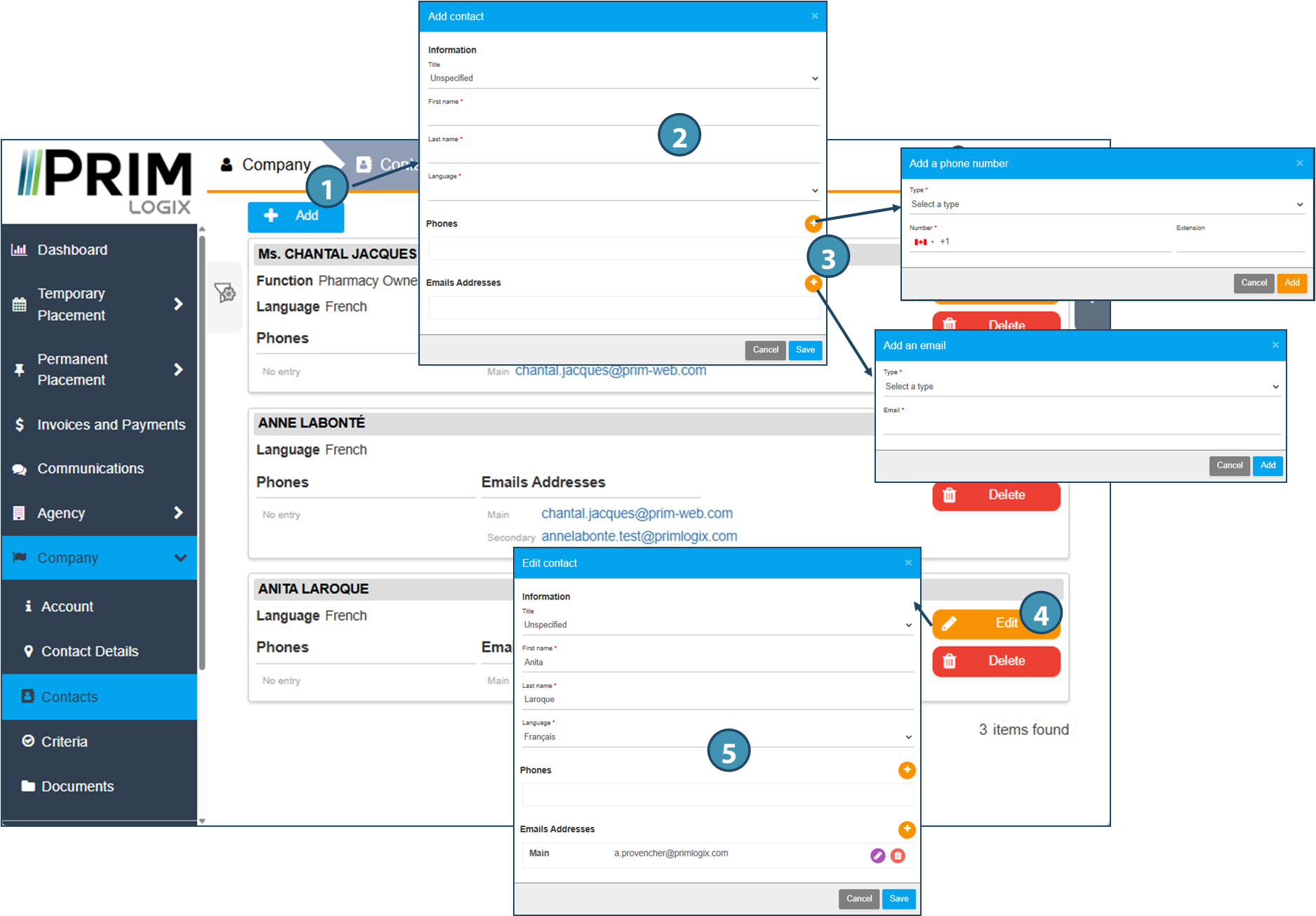
This section lists the contacts defined at the client. If the agency allows it, the user of a Company account can add, modify or delete these contacts.
Only the main account user will be able to make these modifications, i.e. the account created with the company's main email rather than the individual accounts of each of the client's employees.
1.To add a new contact, click on the Add button at the top of the page. 2.In the window that pops up, fill in the mandatory fields marked with a red asterisk. 3.If required, you can add telephone numbers or email addresses to these contacts by clicking on the 4.To modify an existing contact, click on the Edit button in the relevant contact. To delete it, click on the Delete button. 5.In the window that appears, edit the information you wish to modify. You can also add the relevant contact details by clicking on the
|

 , or delete them by clicking on
  .
.