Display: Floating panes (docking)
The PRIM Logix Interface supports the management of floating panes (or “docking”). All panes can be docked, so the layout can be configured according to each user’s preferences.
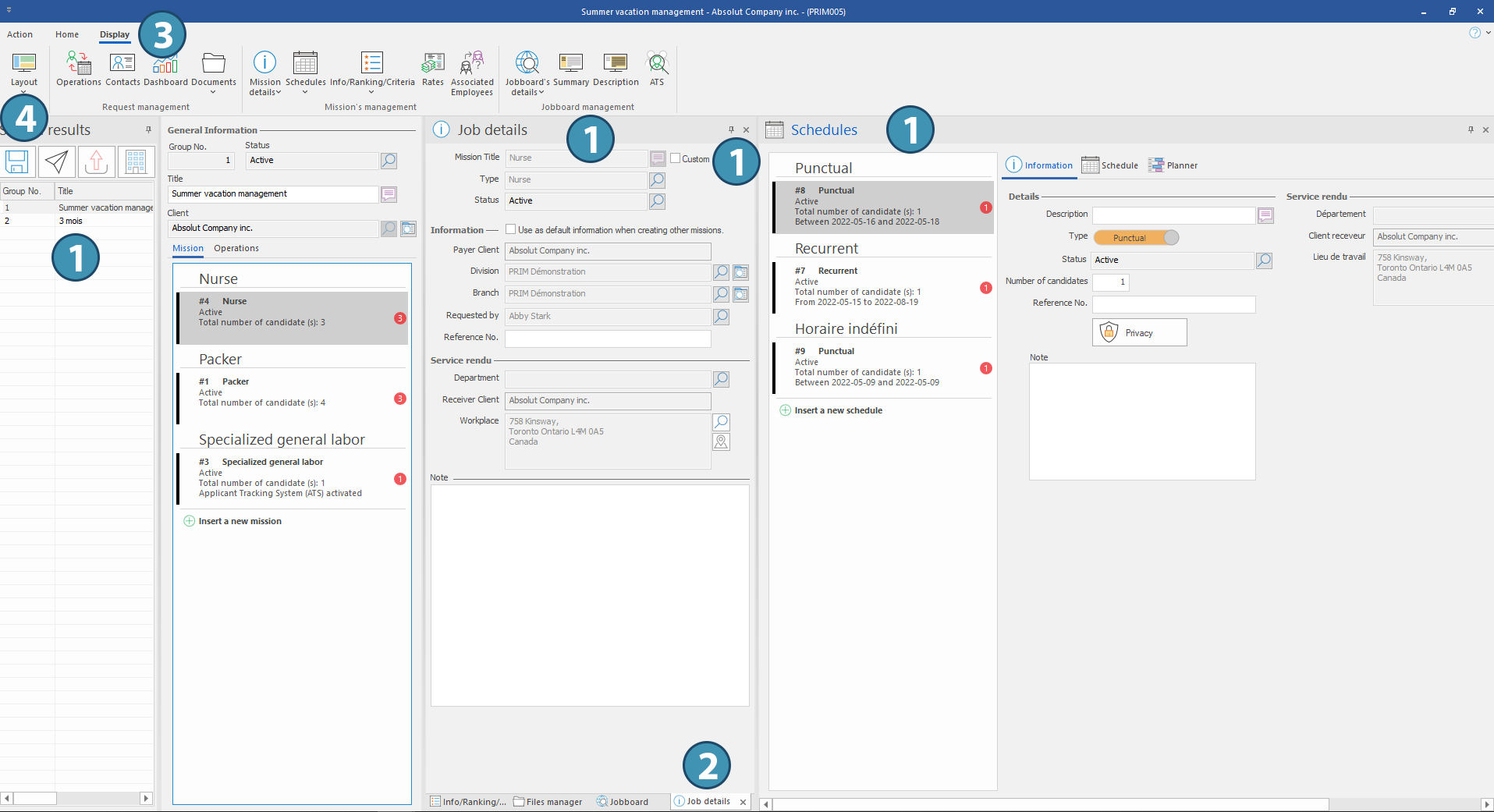
In any window including at least one pane, it is possible to move, enlarge or reduce the panes displayed in the window (1). You can also bring several panes together and create temporary tabs (2).
The “Display” menu shows all available panes in the window. Click on a topic to open the corresponding pane (3). Use the “Layout” button to save, load or edit a specific layout for panes (4). To learn more, read the section “Save a layout".
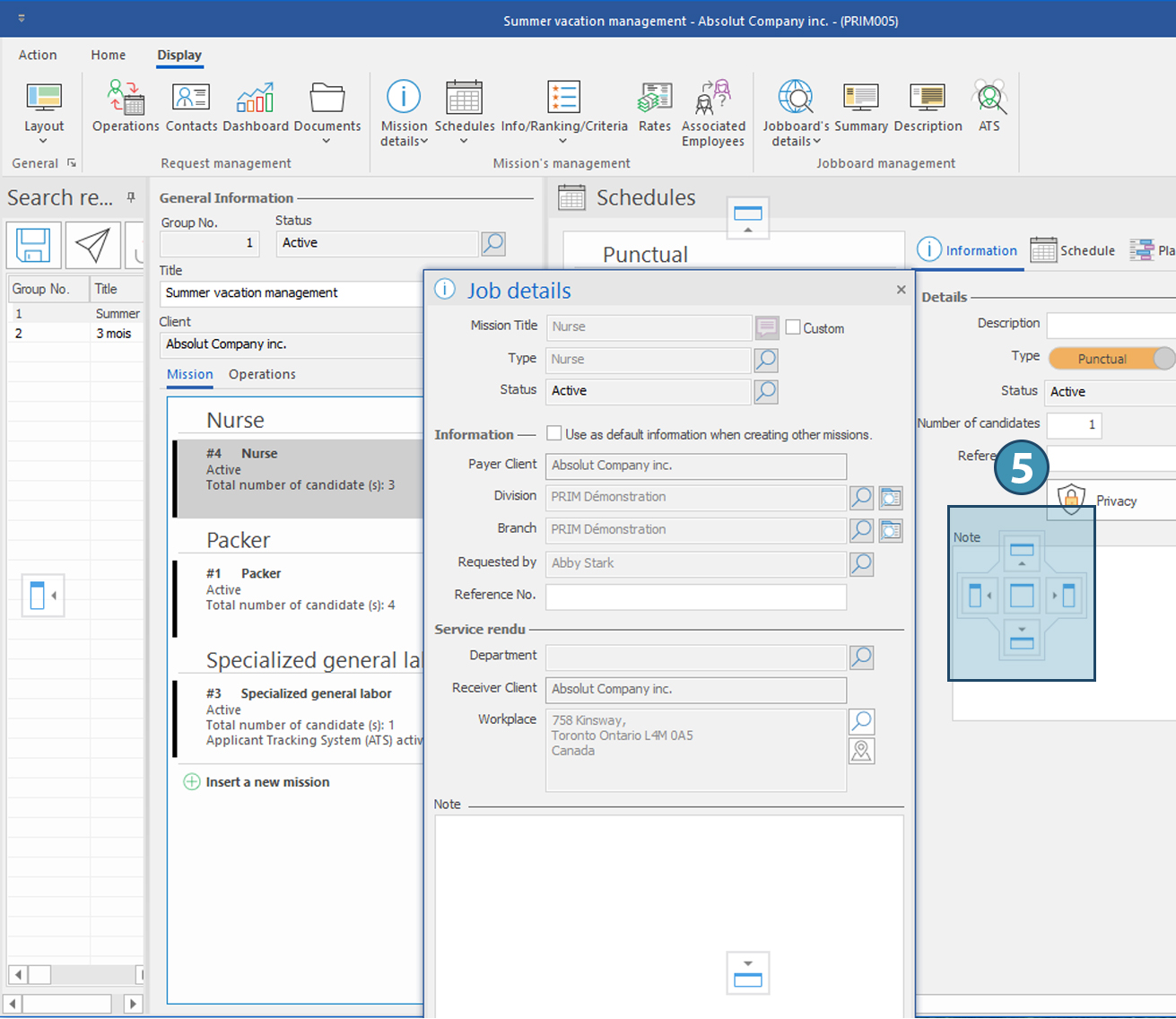
To move a pane, place your cursor next to its title and hold down the left mouse button to move it.
As you move the pane, you will see a module (5) that allows you to place the pane in the desired location on your screen.
|
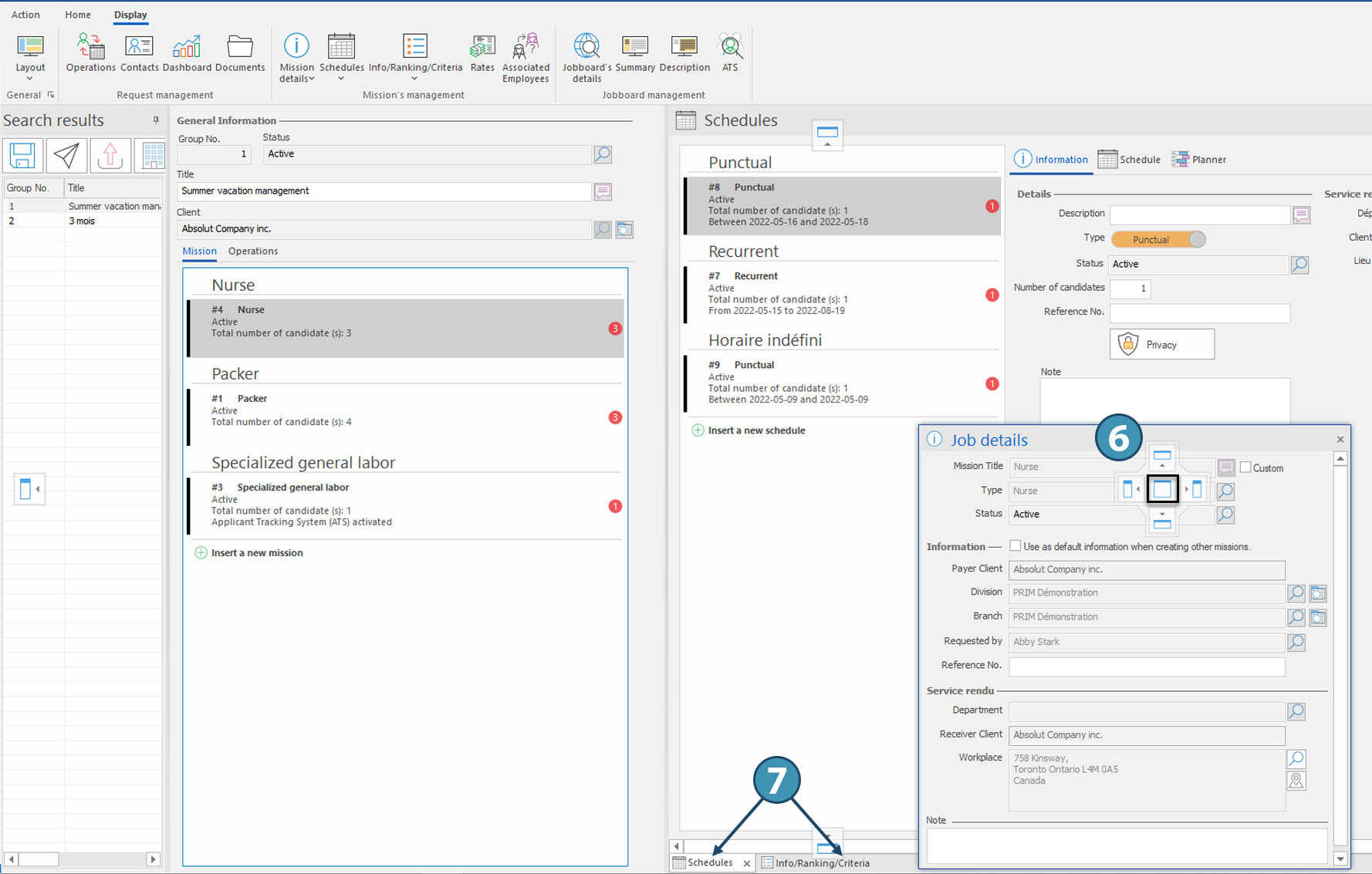
By moving a pane over an existing pane, the central part of the docking module allows you to place it over the existing one (6). If you release the left mouse button, the panes will be grouped together (7). You can then navigate between them using tabs at the bottom of the pane.
|
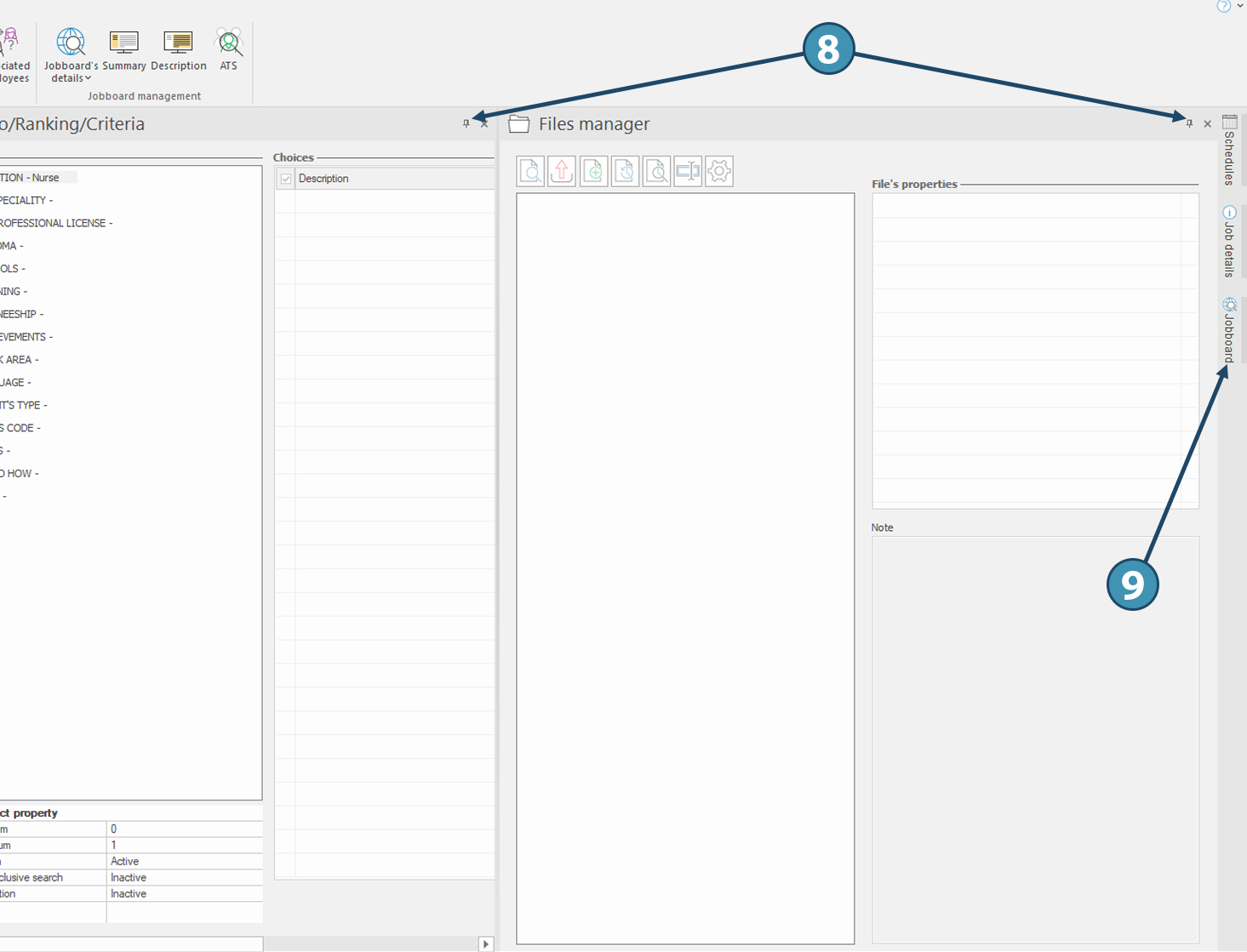
The pin on top right corner of a pane allows you to pin or unpin the pane (8).
When not pinned, a pane is displayed in a vertical tab bar on the right of the window in use (9).
|