|
Navigation: Training plan > Section 7 - Operations - Temporary > Grouped shifts (PRIM005) > Define a schedule for a mission Types of schedules |
Scroll Prev Top Next More |
Types of Schedules
There are different types of schedules for group requests, designed to meet client needs and facilitate the agency’s management of requests. Each type of schedule has its own specific characteristics and may require different management approaches.
 Recurring Schedule
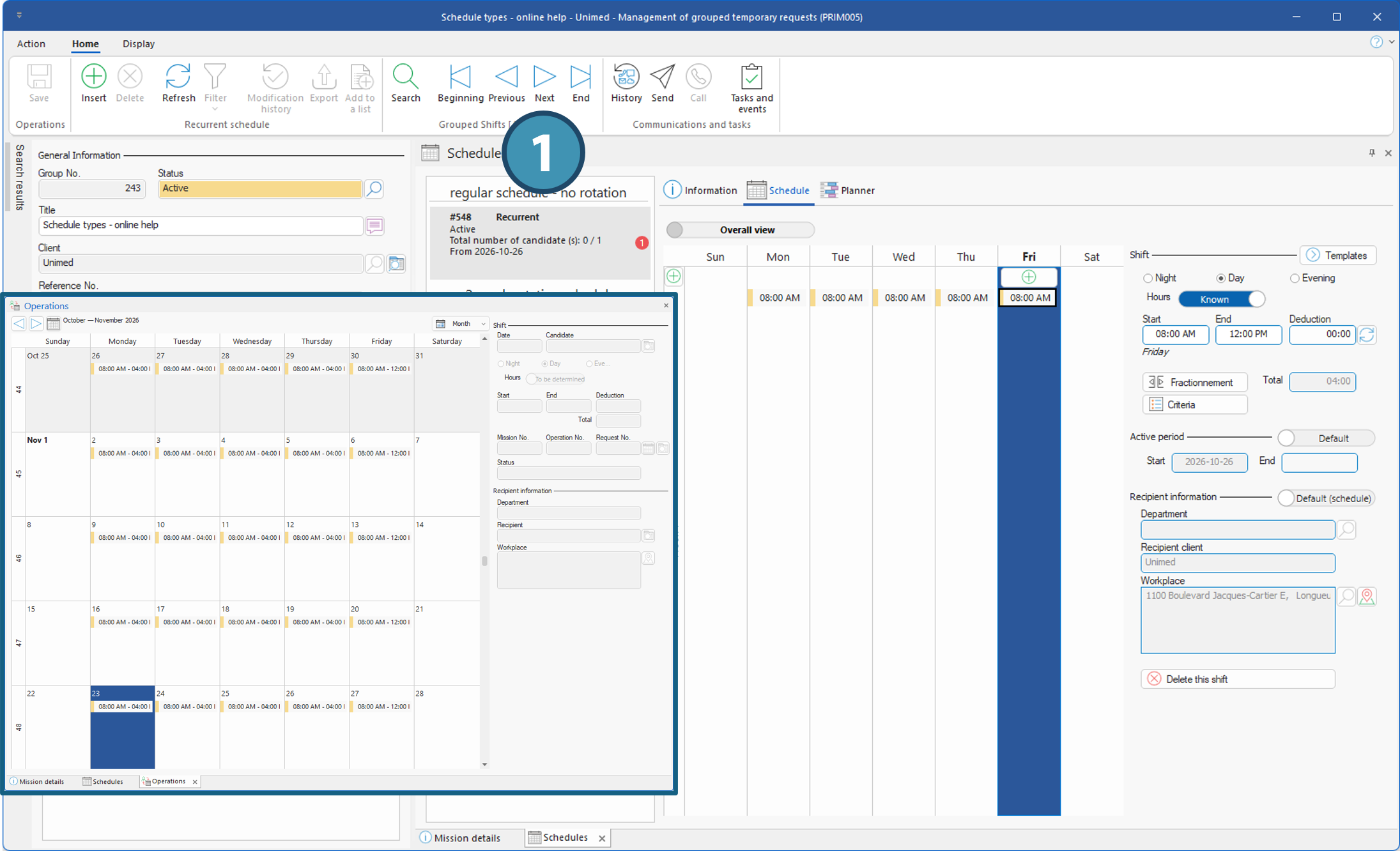
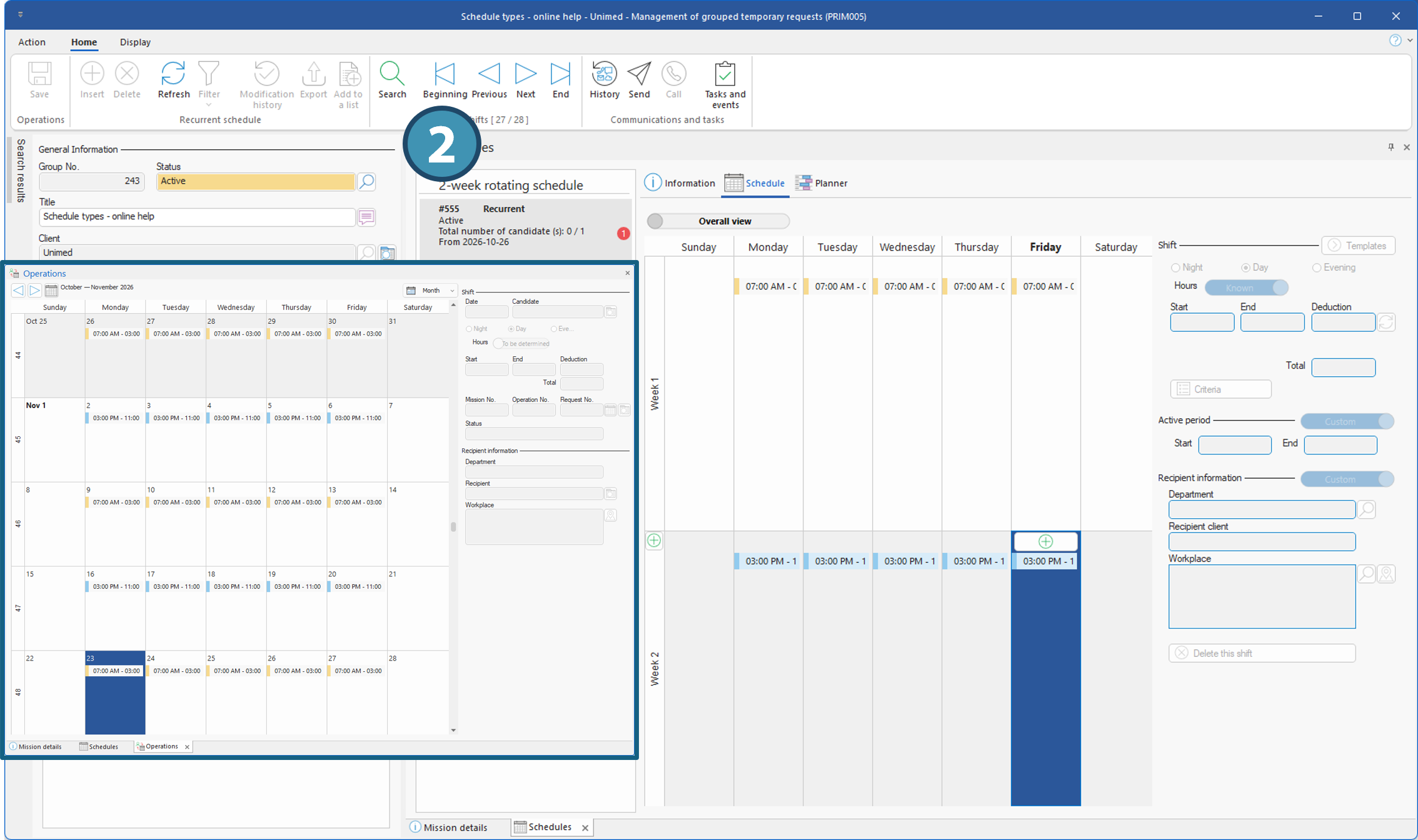
This type of schedule is generally used for longer-term needs, when workdays and hours repeat according to a defined pattern. The schedule can be identical from one week to the next or follow a rotating cycle of 1 to 8 weeks. The goal is generally to assign a single candidate to the entire schedule. However, it is possible to exclude certain shifts and assign them to another candidate. You can also assign multiple candidates to the same schedule rather than creating three separate schedules, but in that case, each candidate will also work the entire schedule. It is also possible to assign multiple candidates to the same schedule rather than creating multiple separate schedules. In this case, each candidate must be able to cover the entire schedule.
Examples:
•Regular schedule without rotation: Monday through Thursday from 8 a.m. to 4 p.m., and Friday from 8 a.m. to 12 p.m. This schedule repeats from week to week. Hours may vary from day to day within the week but will remain the same from week to week. •Two-week rotating schedule: The first week, the schedule is daytime, from 7:00 a.m. to 3:00 p.m., Monday through Friday. The second week, the schedule is evening shifts, from 3:00 PM to 11:00 PM, Monday through Friday. This two-week cycle repeats as long as the schedule is in effect. Hours may also vary by day of the week.
|
"Standard" punctual schedule
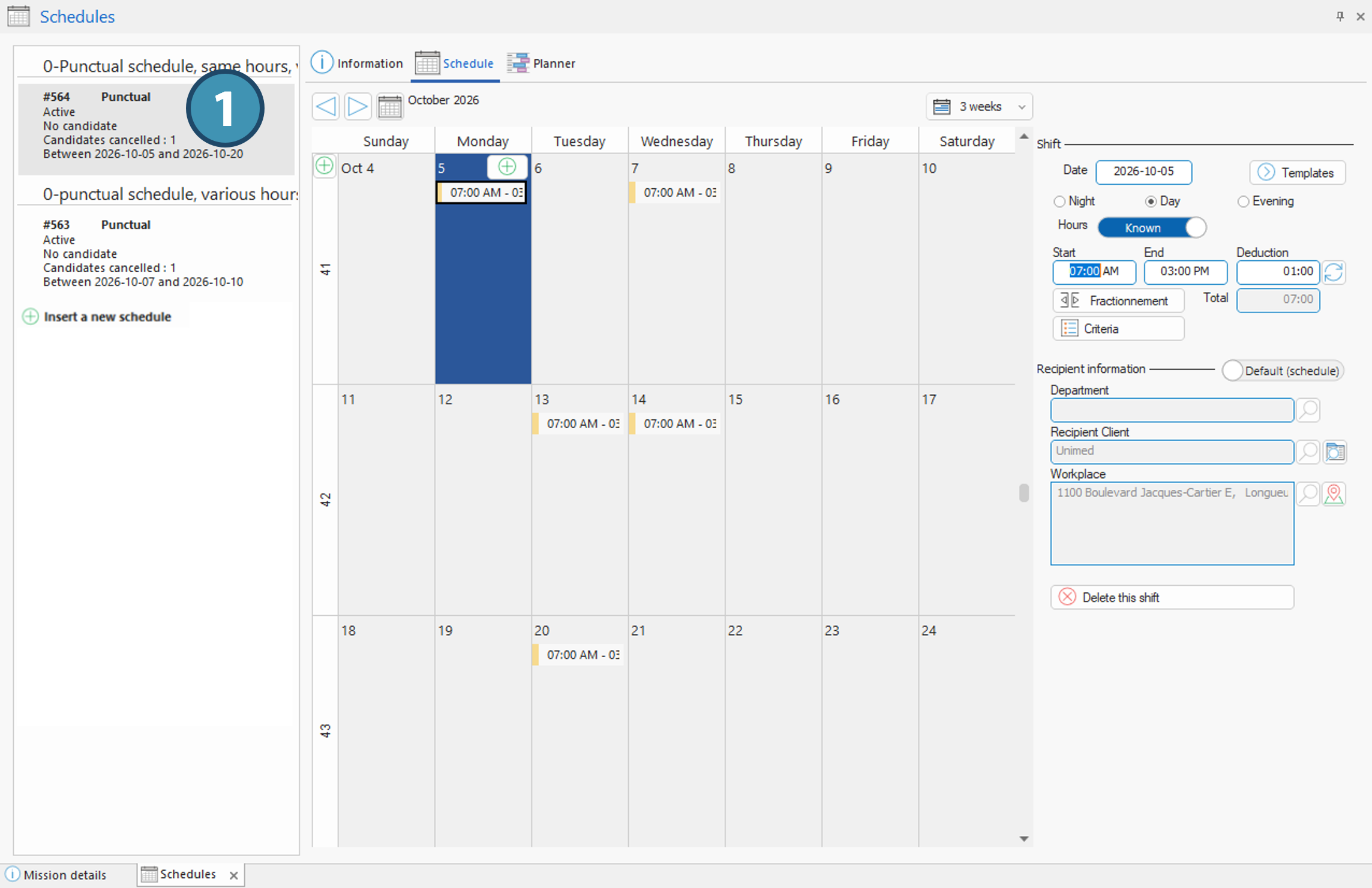
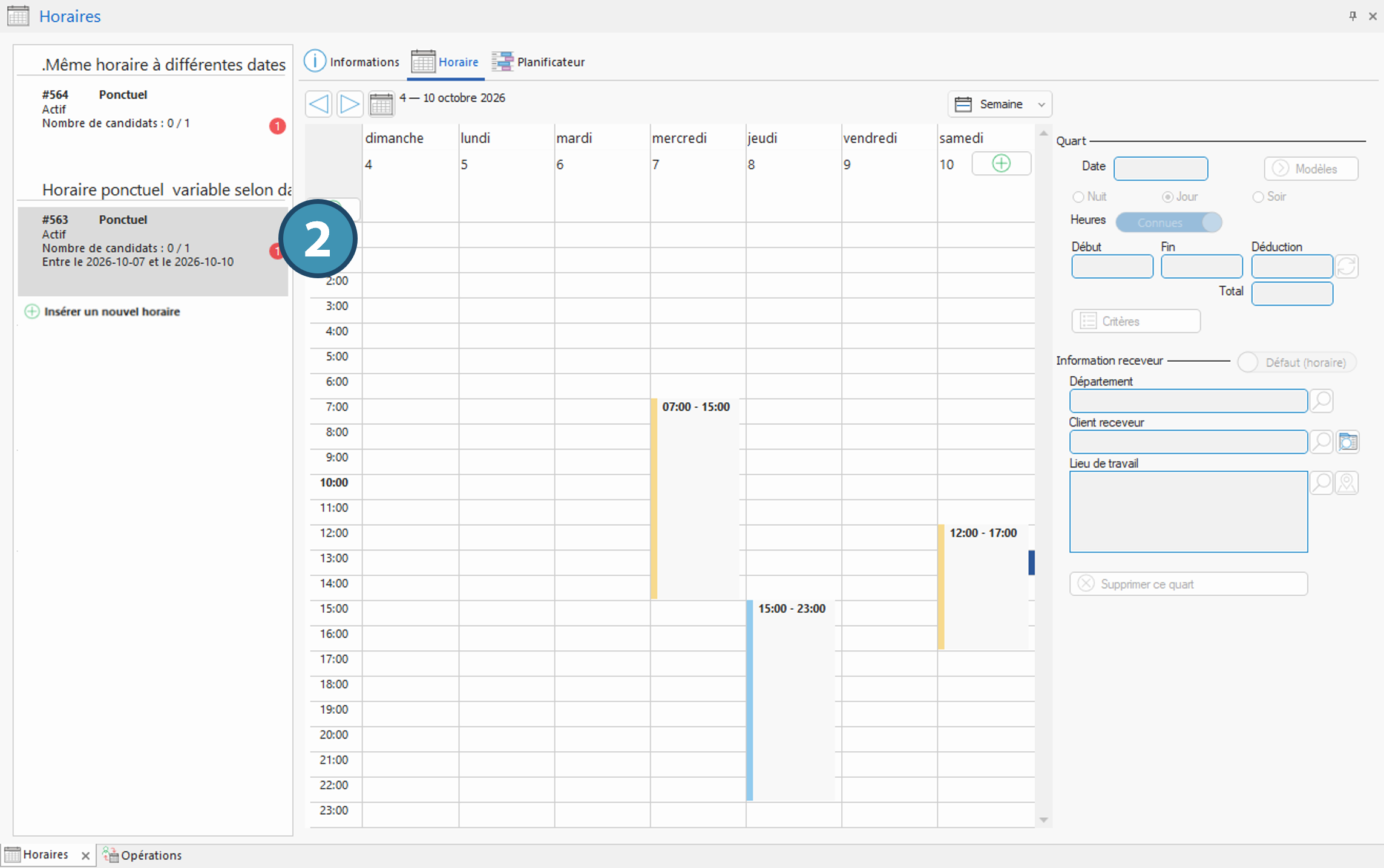
Unlike a recurring schedule, a one-time schedule does not necessarily follow a repetitive pattern. It includes shifts scheduled for specific dates, with days and times that may vary. As with the recurring schedule, the goal is generally to assign a single candidate to all shifts. However, it is possible to exclude certain shifts and assign them to another candidate.
Examples:
•Same schedule on different dates: A candidate is needed for shifts from 7 a.m. to 3 p.m. on various dates in October, for example, October 5 and 7, then October 13, 14, and 20. •Varying schedules depending on the date: A candidate is needed for shifts on different dates and at different times, for example, on October 7, from 7:00 a.m. to 3:00 p.m., October 8, from 3:00 p.m.. to 11 p.m., and October 10, from 12:00 p.m. to 5:00 p.m.
|
“Divisible” punctual Schedule
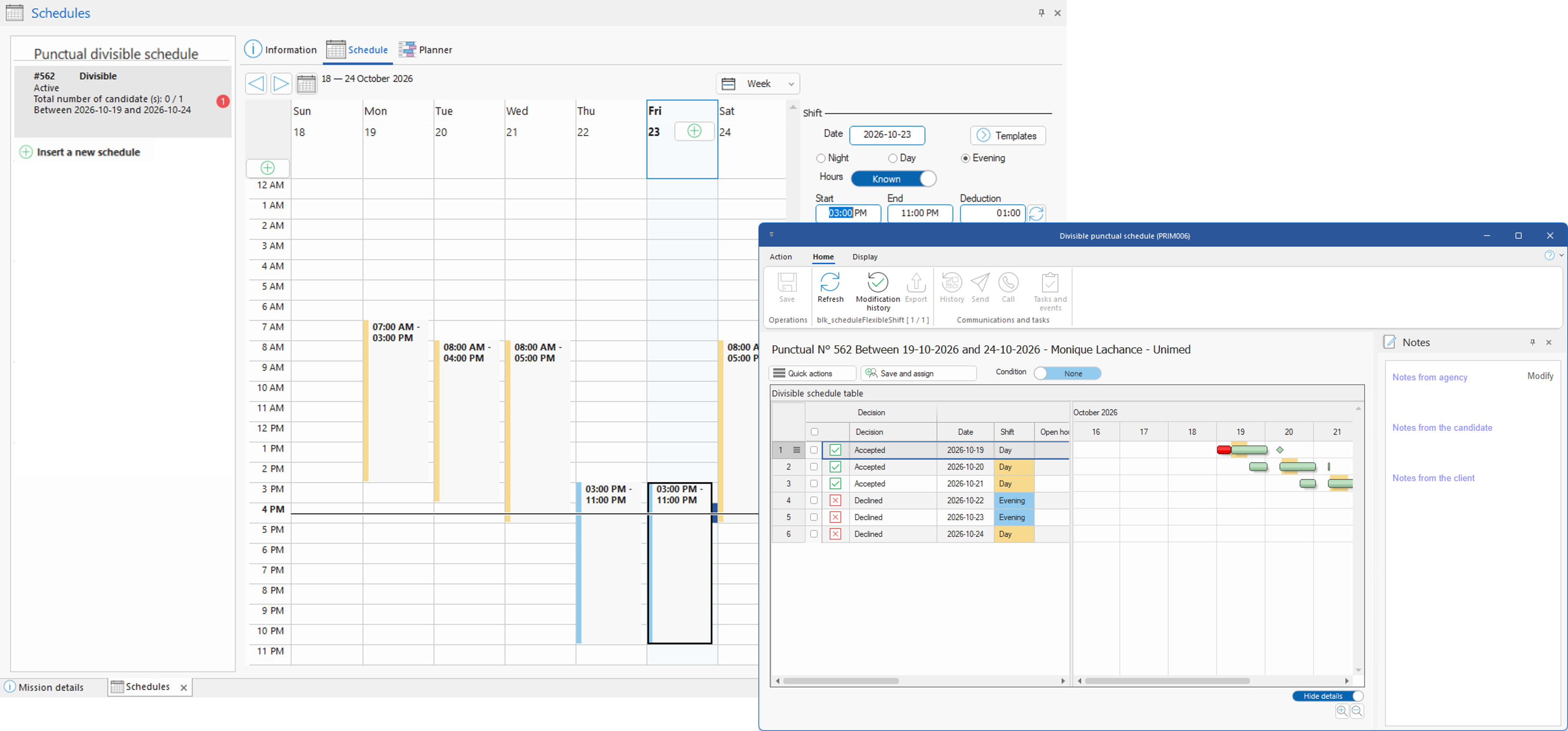
Like the standard fixed schedule, the divisible fixed schedule groups shifts scheduled for specific dates, without necessarily following a repetitive pattern. However, unlike the standard schedule, the goal is to distribute the shifts among several candidates rather than assigning a single candidate to the entire schedule. Candidates can indicate to the agency which shifts they are available for via the web portal, and the agency can view this information or enter it directly from the Divisible punctual Schedule (PRIM006) (1) window, accessible from the planner. It will then be possible to assign each candidate only to specific shifts from this window.
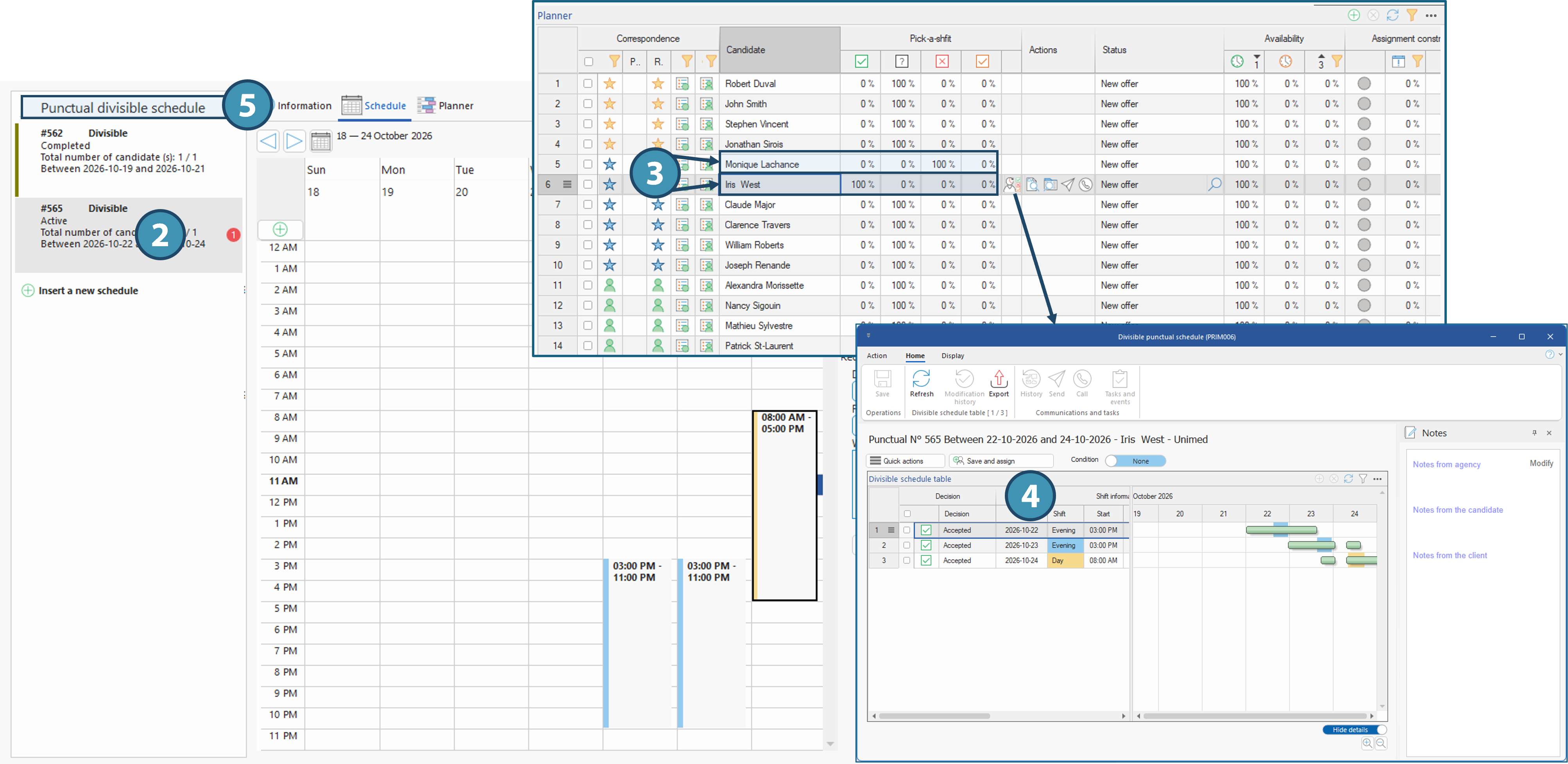
When a candidate is assigned to certain shifts, a new schedule is automatically created with the remaining shifts. The agency can then assign another candidate to those shifts. The communication history with all candidates is retained in this new schedule, which makes it possible, for example, to identify those who had previously expressed interest.
Example:
The client is looking for a candidate to fill the following schedule: October 19 from 7 a.m. to 3 p.m., October 20 from 8 a.m. to 4 p.m., October 22 and 23 from 3 p.m. to 11 p.m., and October 24 from 8 a.m. to 5 p.m. A candidate has expressed interest only in day and week shifts. The agency can view or enter this information and assign the candidate in the Divisible punctual Schedule (PRIM006) window (1). A new schedule is then created, retaining only the remaining shifts (2), allowing another candidate to be assigned. The interest already indicated in the initial schedule by another candidate for evening and weekend shifts is retained in this new schedule and visible in the planner (3) and in the Divisible punctual Schedule (PRIM006) window (4).
!For divisible schedules, it is highly recommended to add a description to the initial schedule. This is because each new schedule created from the initial schedule has its own number, as do the shifts recreated within it. The description therefore makes it easier to identify schedules that are linked to one another, especially when the initial schedule has been shared with candidates. In fact, the schedules are then grouped under their descriptions (5) ⅰDepending on the division's settings, a standard schedule can be converted into a divisible schedule and vice versa. However, only punctual schedules can be divisible; recurring schedules cannot be.
|
Created with Help+Manual 8 and styled with Premium Pack Version 4 © by EC Software