Release 5.9
Client Action Required: To ensure a smooth transition to this version, please allow outbound traffic on port 16003 in your firewall.
New features
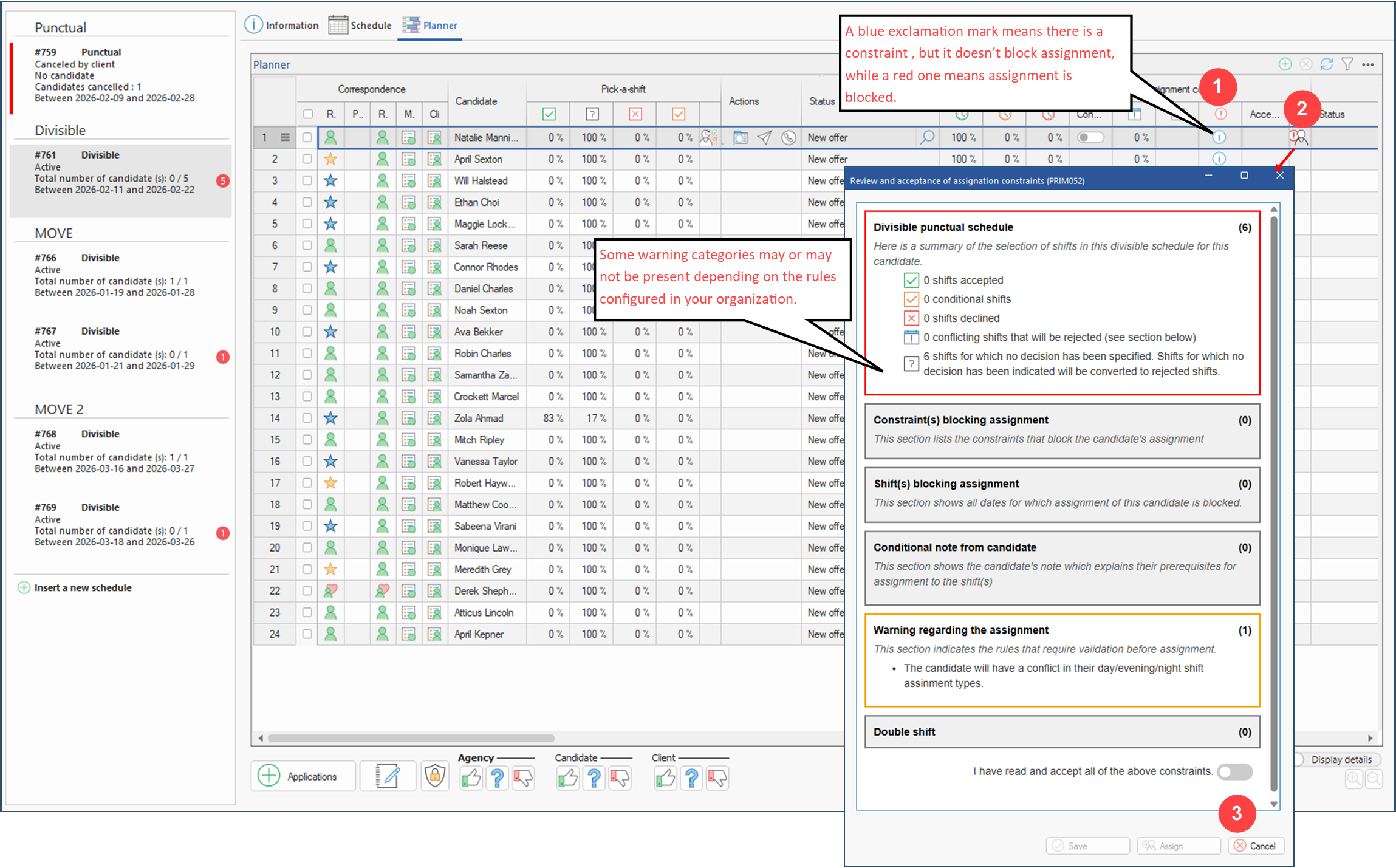
1.Assignment rules and associated constraints: Implementation of new assignment rules supported by an integrated warning system within the planner. This system automatically detects when configurable thresholds (such as hours or days worked) are exceeded and issues alerts or blocks assignments accordingly, ensuring full compliance with legal and regulatory requirements.
A dedicated window has also been created for this purpose. Accessible directly from the planner, it offers a comprehensive overview of all constraints related to a candidate’s assignment, including candidate's conditions, whether they are blocking or non‑blocking. It also allows you to validate or accept these constraints if necessary. (See image)
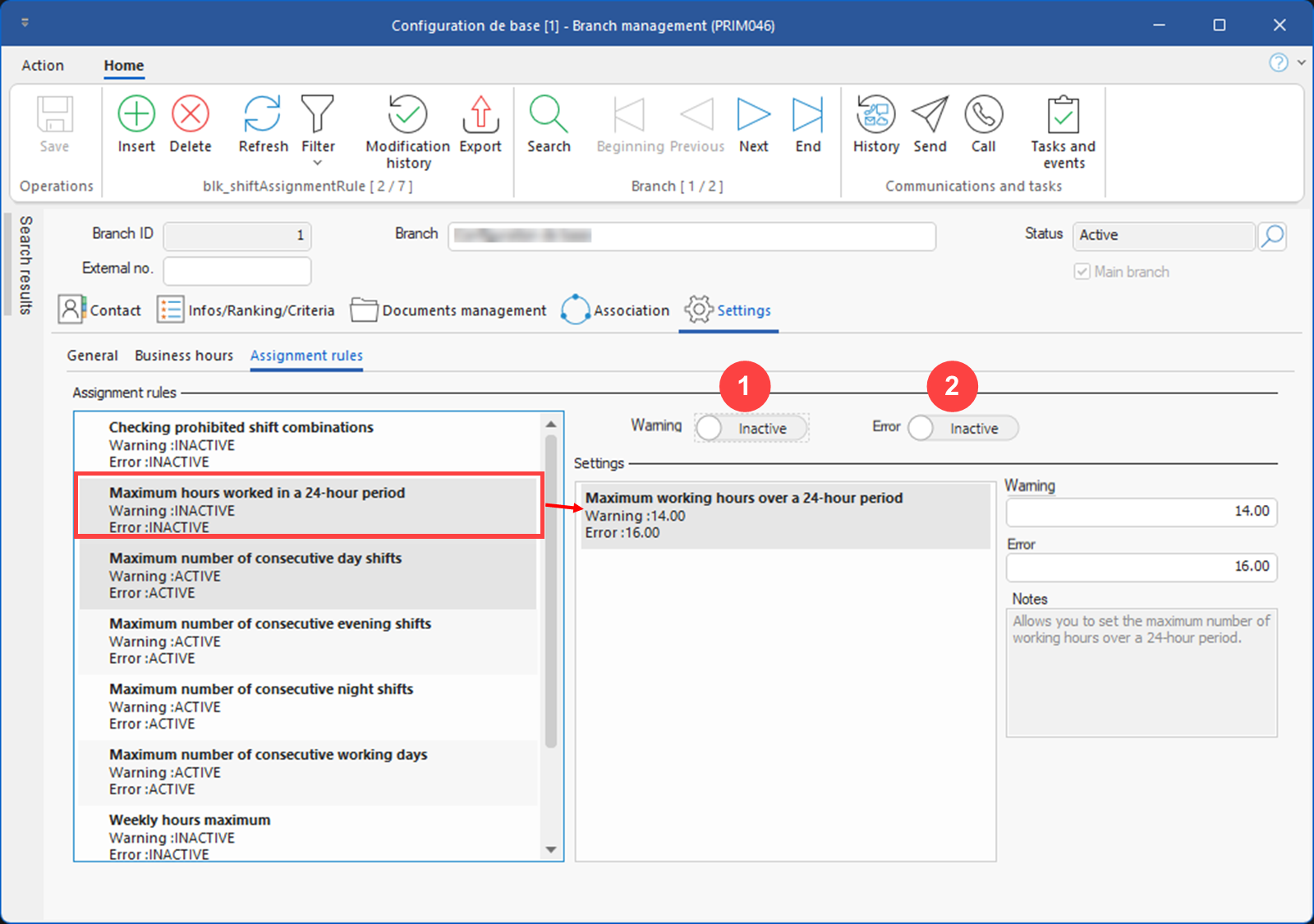
Client action: Configure the desired rules and behavior (error or warning) in the new tab of the Branch Management window (PRIM046).(See image)
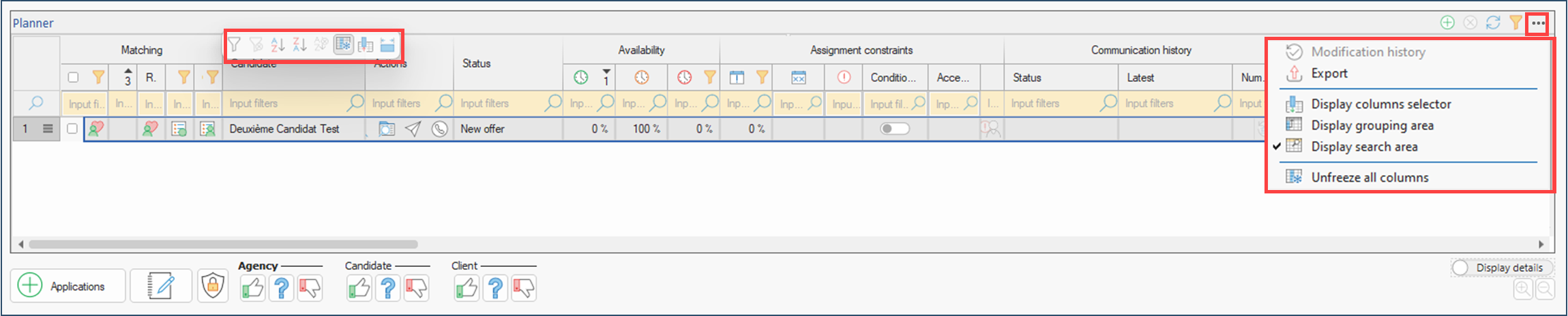
2.Advanced features in tables: Integration of advanced grid features in several operational windows, notably in planners. (See image)
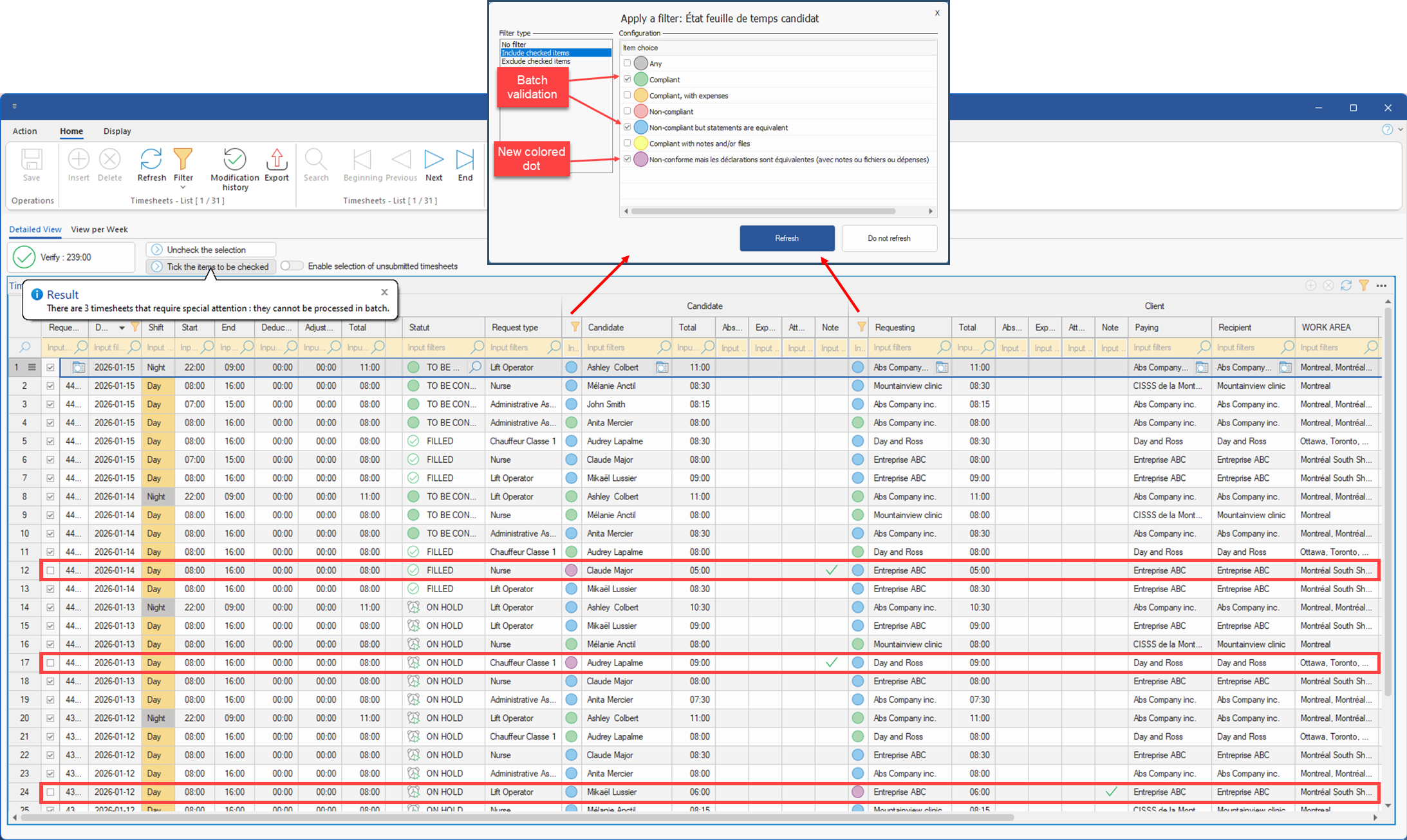
3.Timesheet validation: Until now, batch validation of timesheets was only possible for shifts with a green dot (candidate and client declarations in line with the request). Batch validation now also applies to shifts with a blue sticker, since the candidate's and client's declarations match, even if they differ from the initial request. They are therefore treated in the same way as green tags.
In addition, a new purple dot has been added. This indicates the presence of notes, files or expenses declared on shifts for which the candidate and client have declared equivalent hours, but different from the initial request. These shifts cannot be validated in batches. (See image)
4.Text templates: A new pane (CFG037) has been added to the configuration window, allowing the creation of text templates. These templates can be inserted directly via an HTML editor button, wherever the editor is used (job offer and grouped request Summary and Description panes, notes, message templates, etc.). (See images)
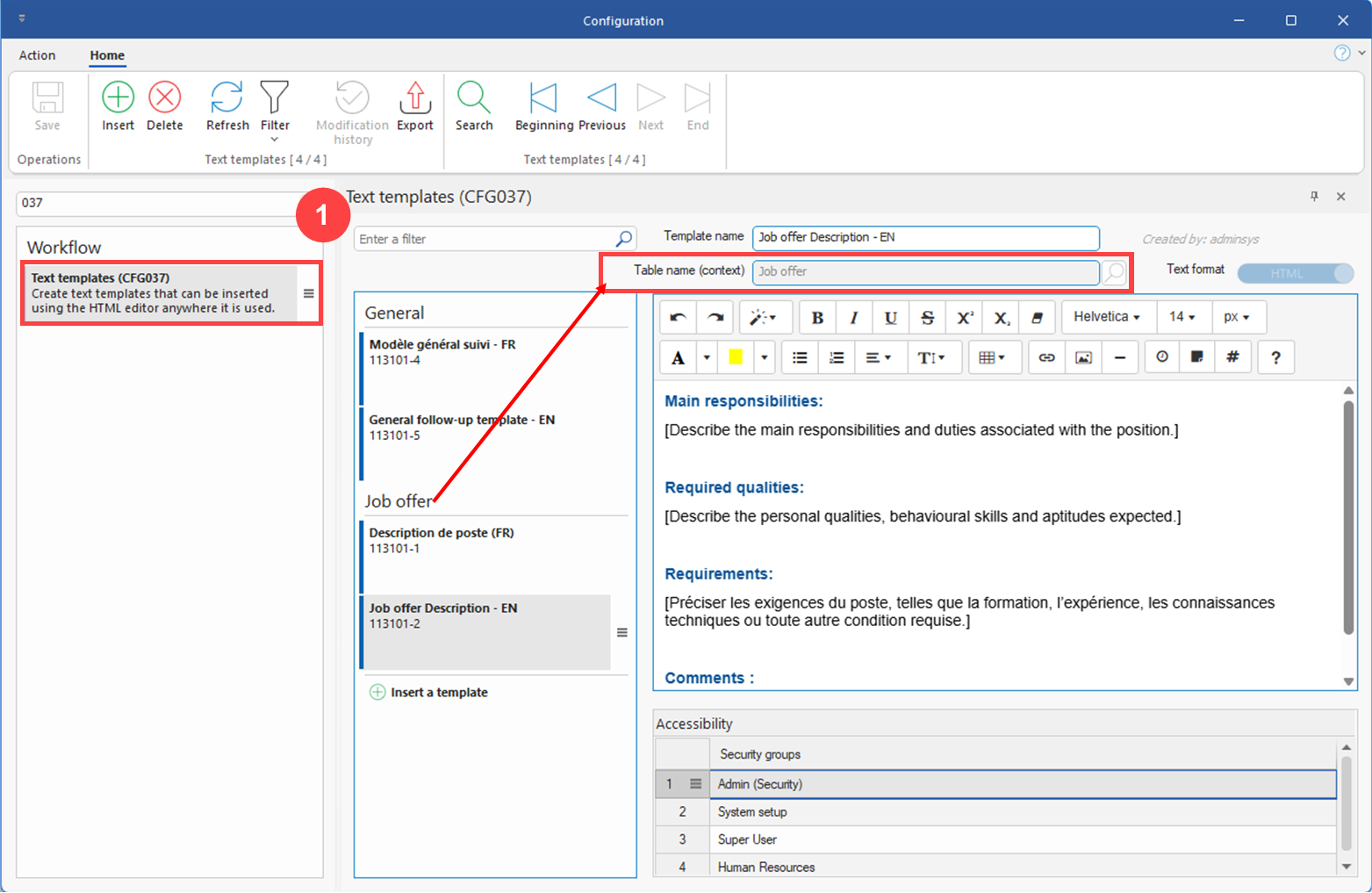
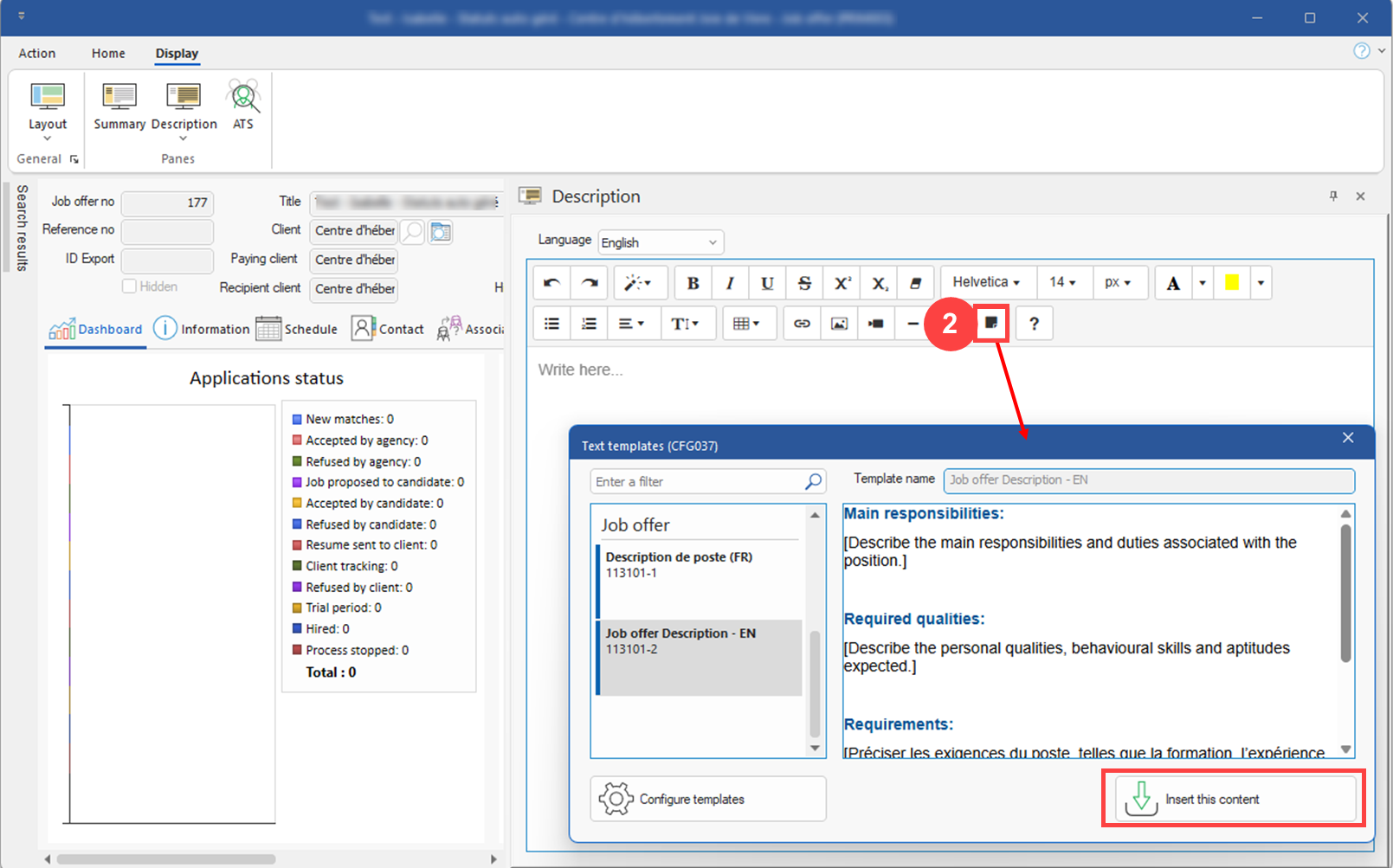
Client action:
- Check that the security groups of the users responsible for configuring the text templates have the necessary rights to access the CFG037 window. (See image)
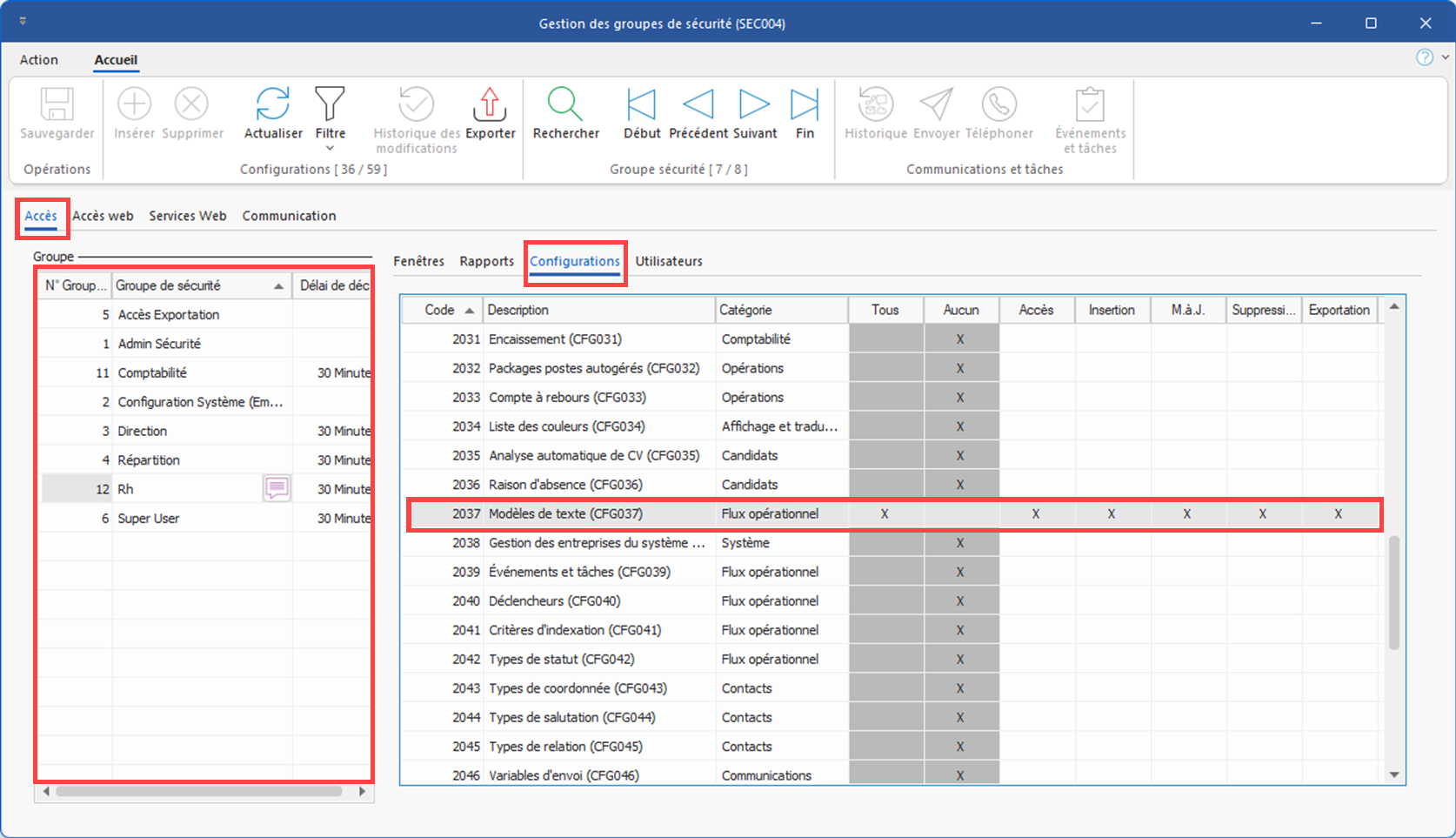
| - Create the templates required for the contexts in which they will be used and give access to these templates to the relevant groups. |
5.New columns in planners: In the candidate section of the planner, the Default Division and Default Branch columns have been added, as well as the Corresponding Division and Corresponding Branch columns, which show whether the candidate's default division and branch match those indicated in the application. These new columns will also allow you to filter candidates by branch or division. (See image)
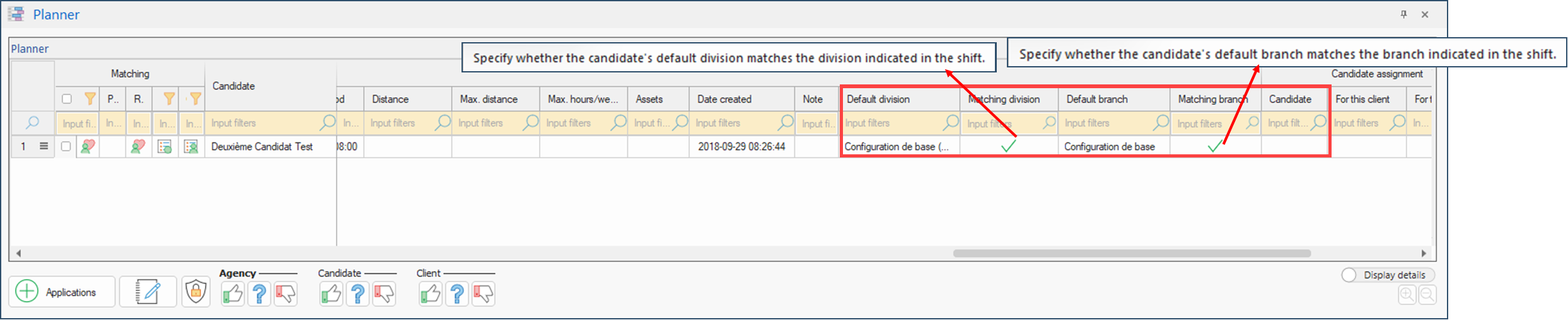
Client action: Update the default display and display configurations used in the recurring filters of both planners (standard and grouped) to include the required columns.
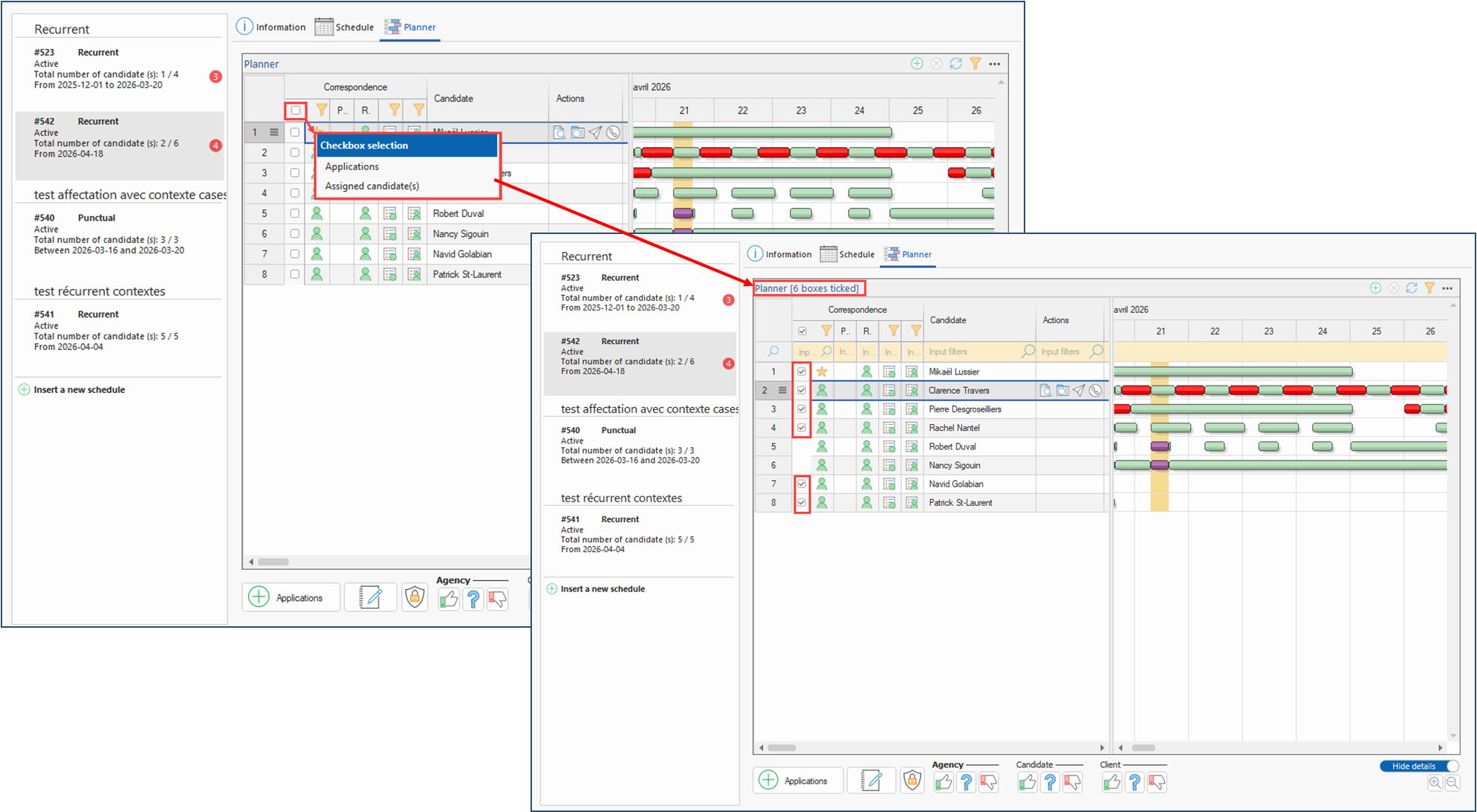
6.Grouped requests planner - new checkbox menu: In the grouped requests planner, when at least 1 candidate is already assigned to a schedule requiring several candidates, a new contextual menu on the checkbox allowing you to select all candidates now allows you to select only the relevant candidates according to the context, either assigned candidate(s) (for confirmation or otherwise), or applications (unassigned candidates). In addition, when candidates are ticked using the menu or manually, the number is shown at the top of the planner. (See image)
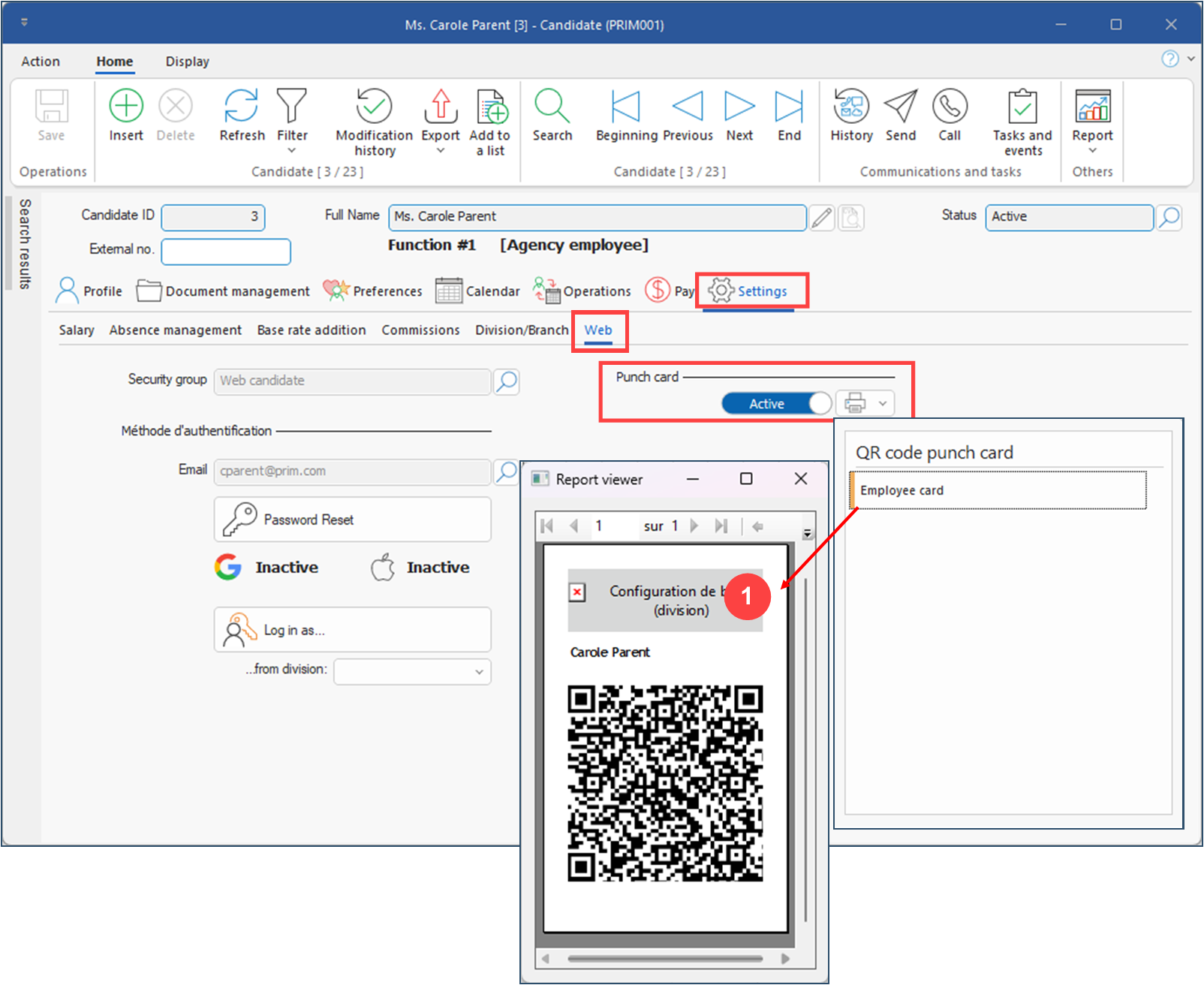
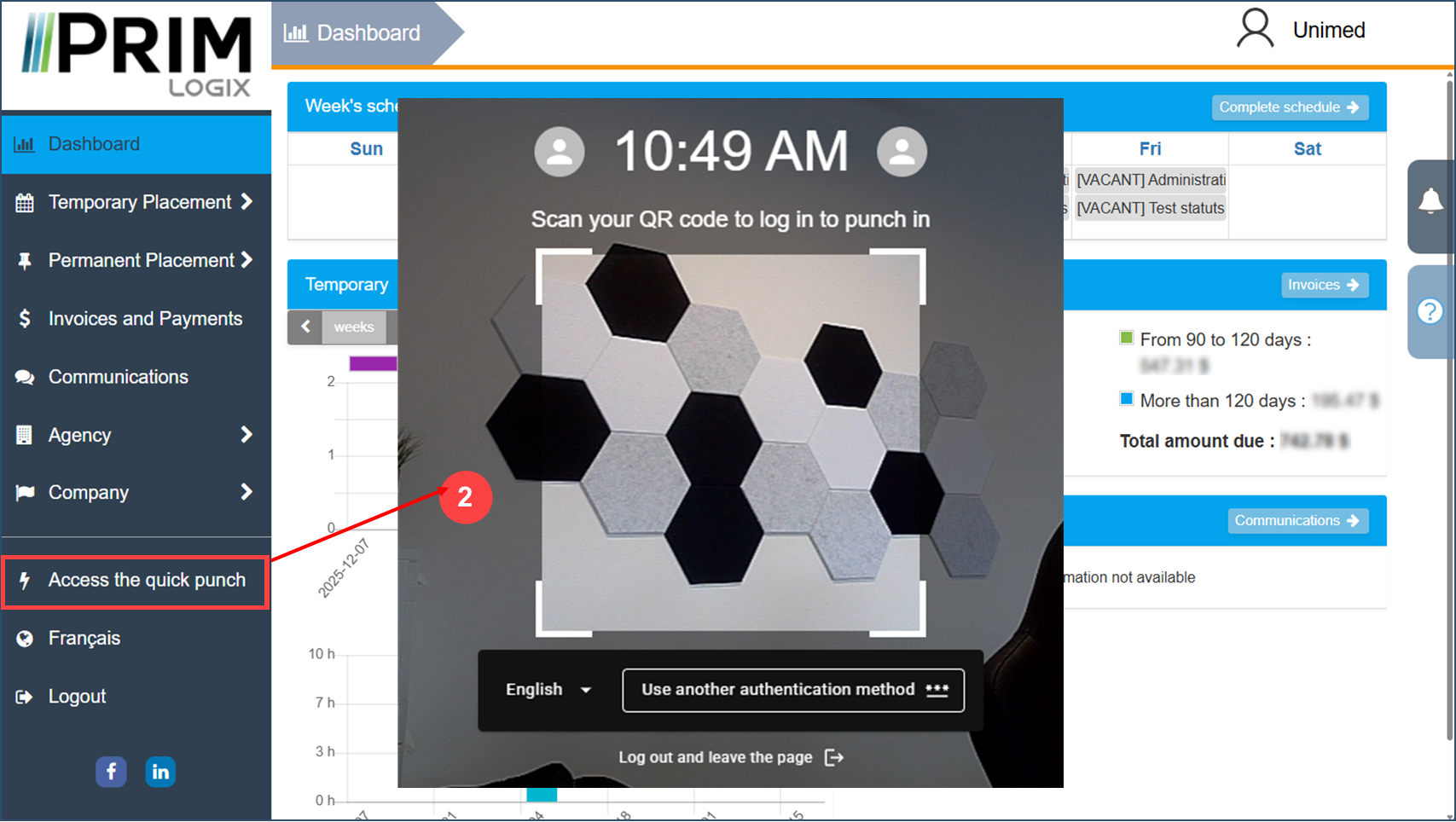
7.Time and attendance system (punch): Integration of a new quick time and attendance system in the workplace, using a QR code card for candidates and the client web portal. (See images)
Client action: If you wish to use this system, please contact your project manager to set it up.
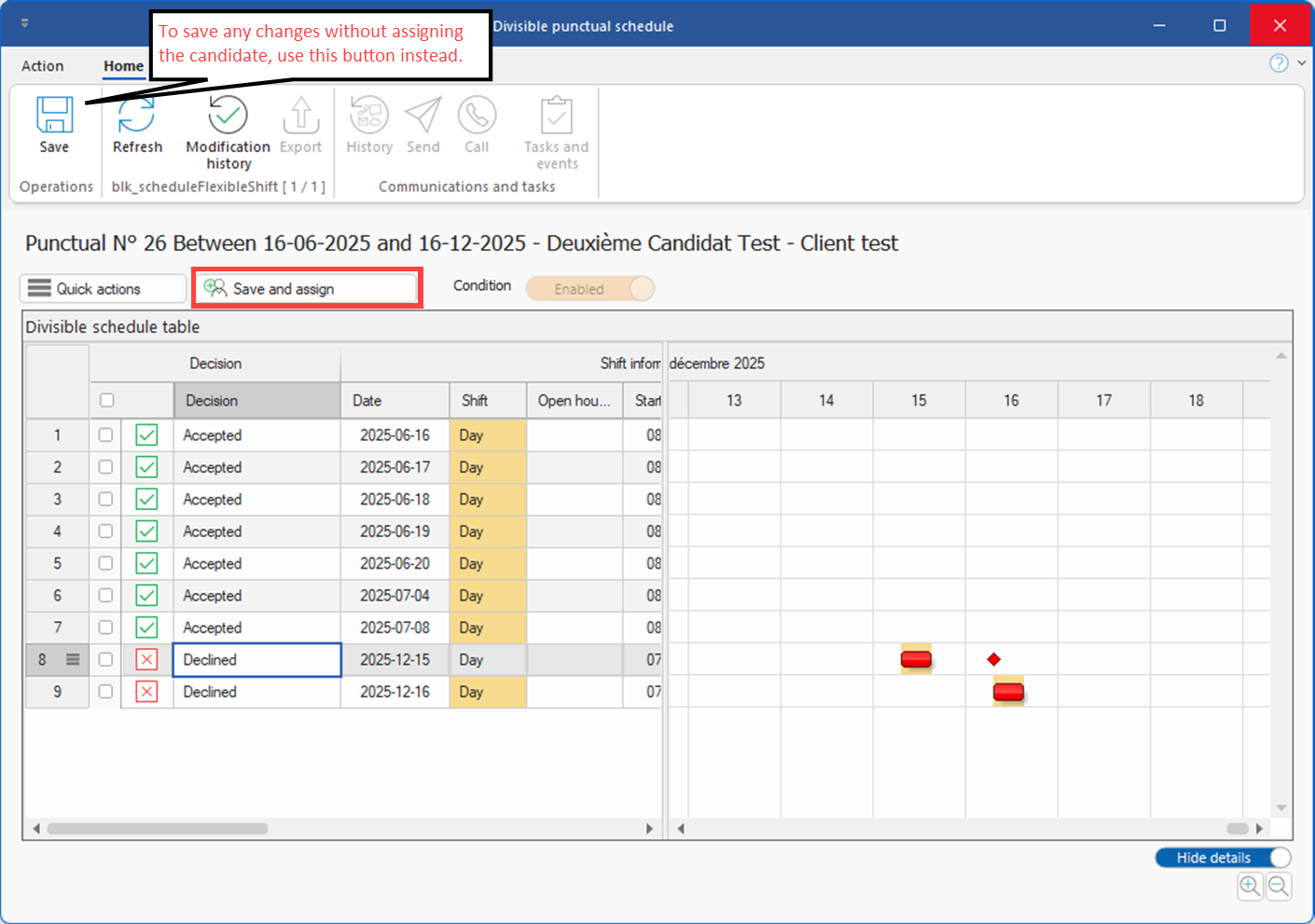
8.Divisible one-off schedules for grouped requests: It is now possible to assign divisible schedules directly from the shift selection window in PRIM. (See image)
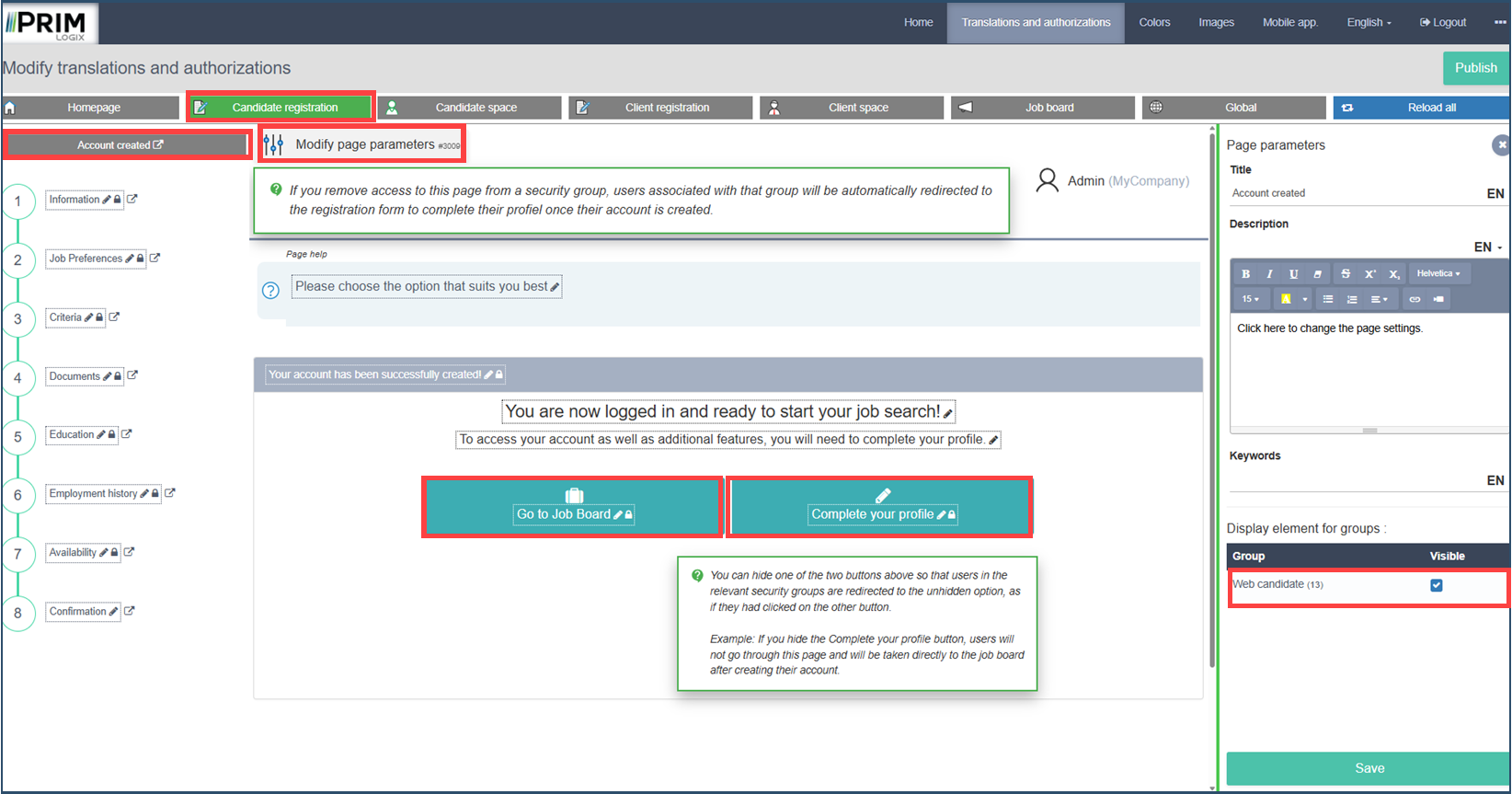
9.Candidate Web portal - account creation and registration flow: At the last stage of the account creation process on the Web portal, candidates were offered two options: go to the job board or complete their profile. The agency now has the option of hiding either of these options, or even hiding this confirmation page altogether and redirecting the candidate directly to complete their profile.
Client action: If the agency wishes to hide this page or either of these options and redirect users directly to one of the two options once the account has been created, they can do so in the backoffice. (See image)
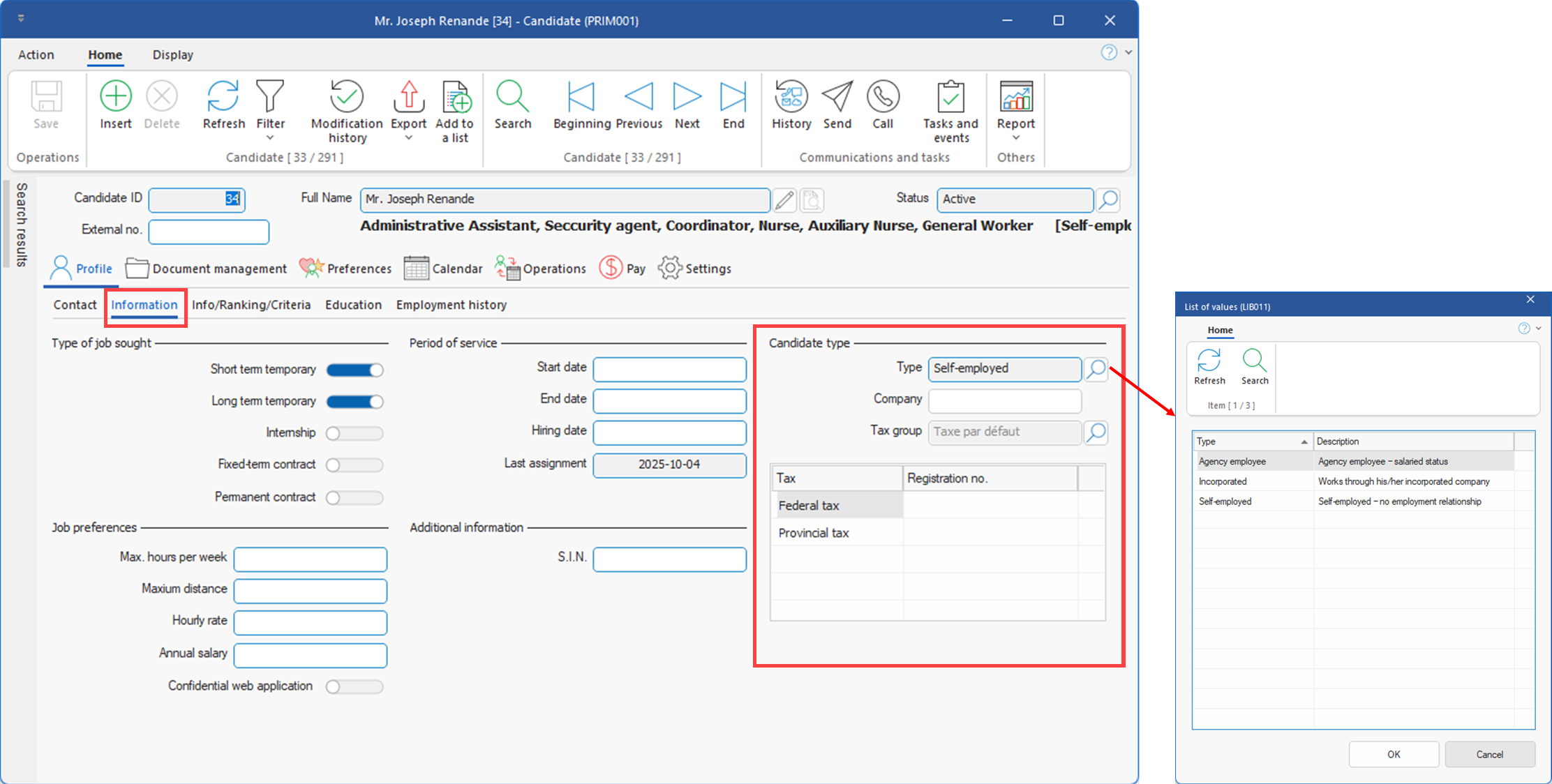
10.Management of self-employed and incorporated candidates: Improved handling of self-employed and incorporated candidates. New settings are now available in the Information tab of the Candidate window, depending on the type selected. (Voir image)
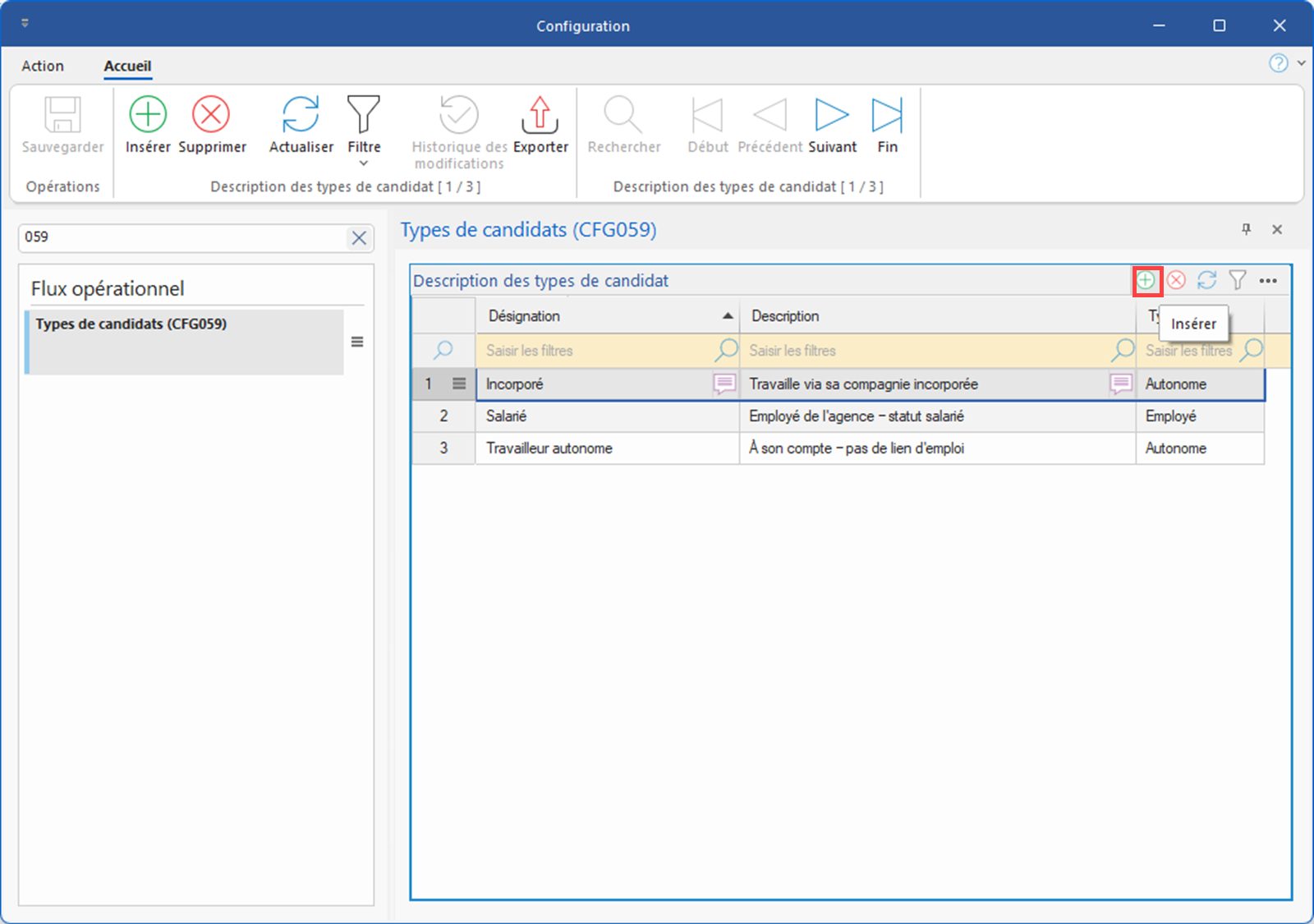
| Client action: - Agencies that were using a criterion to categorize "Self-employed" and "Incorporated" candidates should check that these candidates have been properly categorized after the update and make any necessary corrections. To ensure the smooth running of payroll and billing for these candidates, the criteria should no longer be used. Once these checks have been carried out, we invite you to ask Customer Service to deactivate the criteria concerned. - If types other than Self-employed, Incorporated or Agency employee are used, create the type in the new pane of the Candidate Types configuration window (CFG059).(See image) |
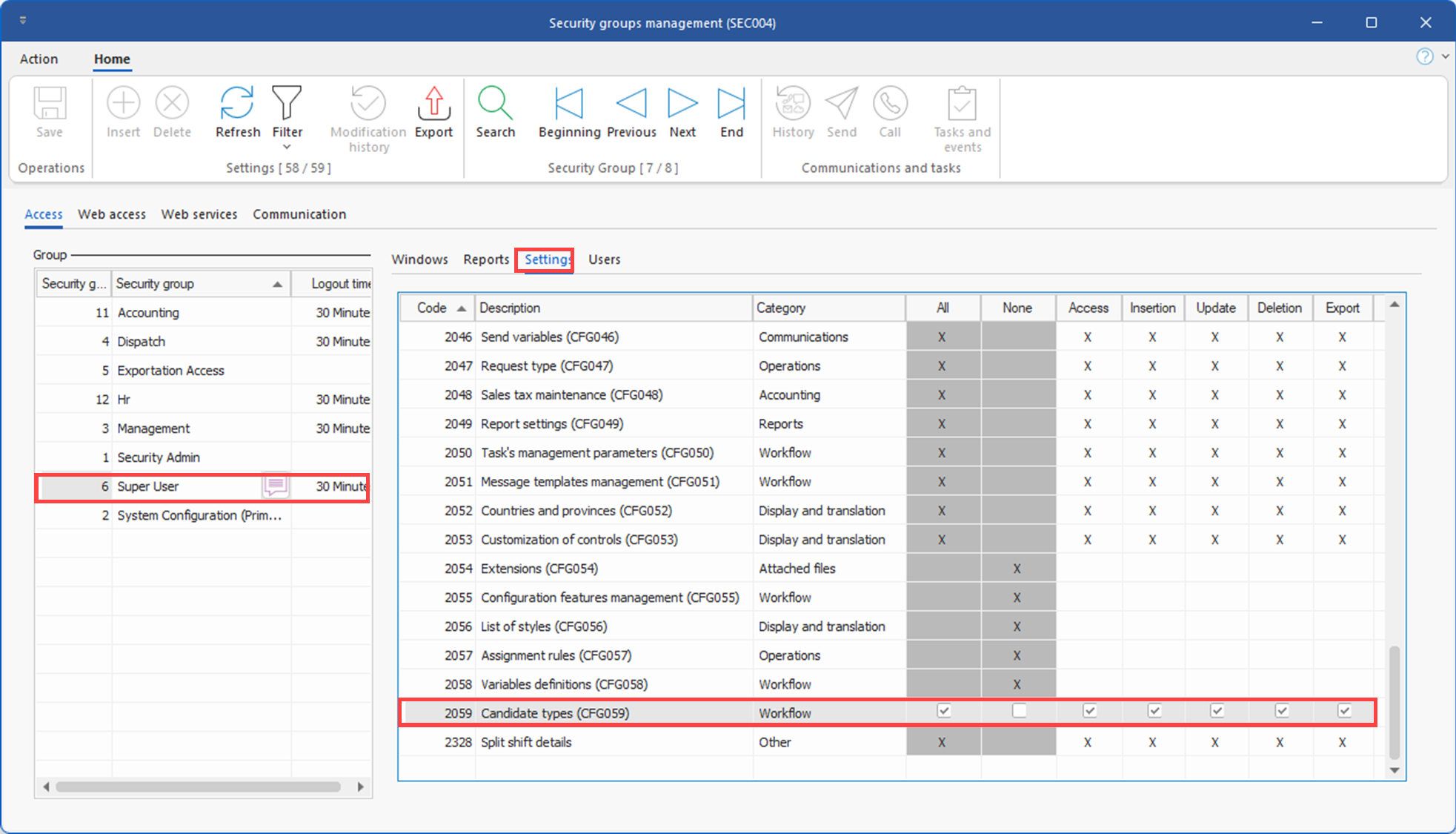
| - To this end, the agency must also grant access to window CFG059 to the group(s) that need access to this pane of the configuration window (usually the . (See image) |
11.Subcontractor management by division: Added a mechanism allowing the payment of a shift to be associated with a division other than the original one. This enhancement provides greater flexibility in configuring payment rules and improves the administrative tracking of subcontractors. (See image)
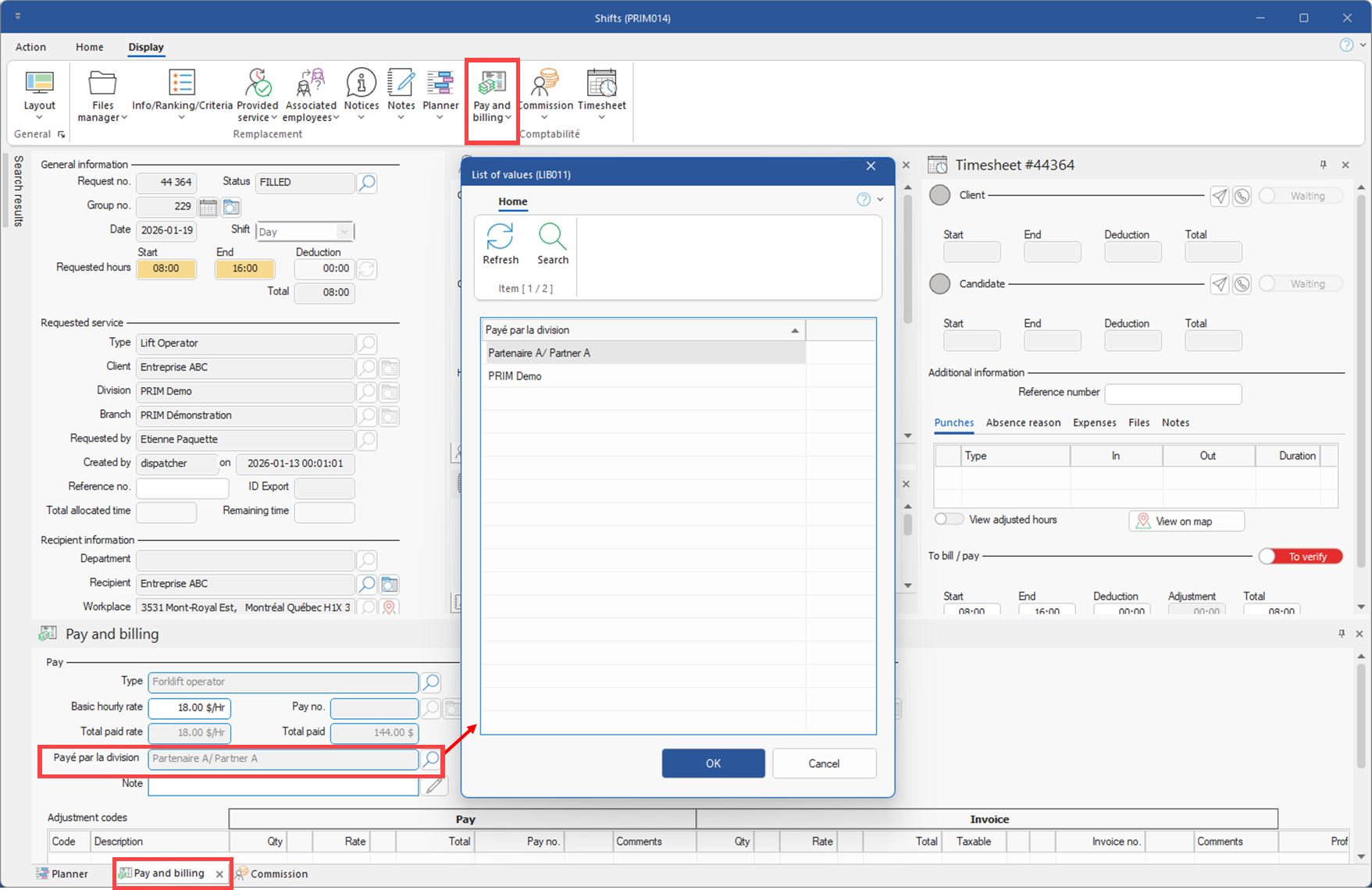
Client action: To use this feature, please check with your project manager if additional configurations are required.
12.Theme management: Overall improvement in theme management with new configuration windows for customizing colors, with particular attention paid to black and dark themes.
Client action: If some users opt for themes other than the default, please ensure that the colors work everywhere and make the necessary adjustments in the new color configuration window (CFG034) (See image)
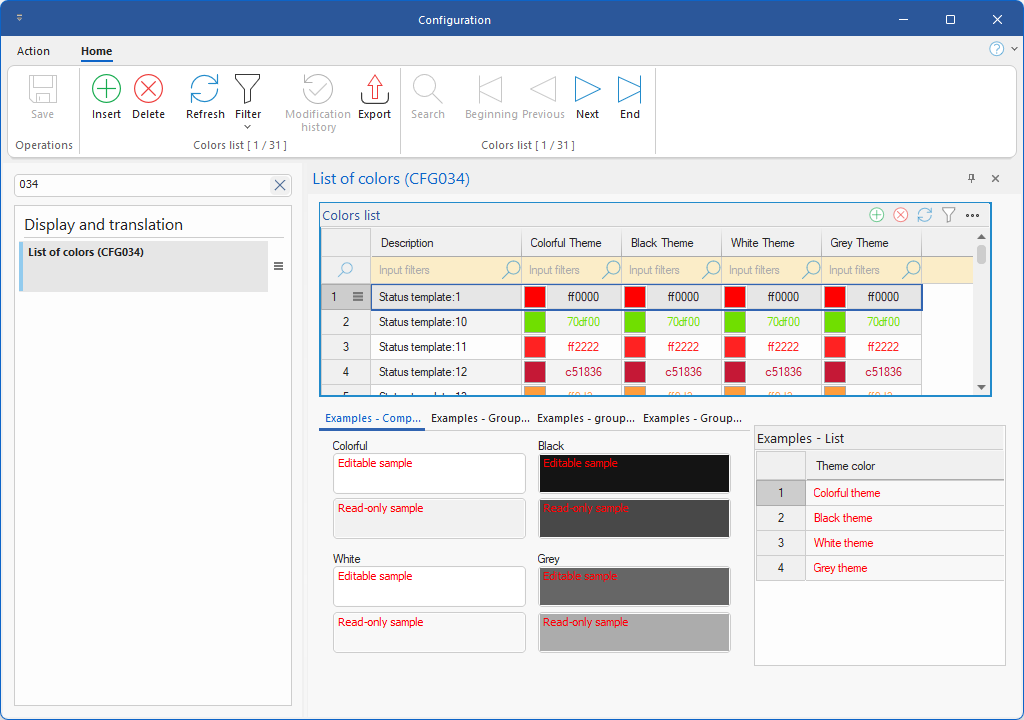
13.User management: Addition of a column displaying the date and time of the last log-in for each PRIM Logix user.
14.Web client portal: Request schedule template codes, previously visible only in PRIM, are now displayed in the request creation form. (See image)
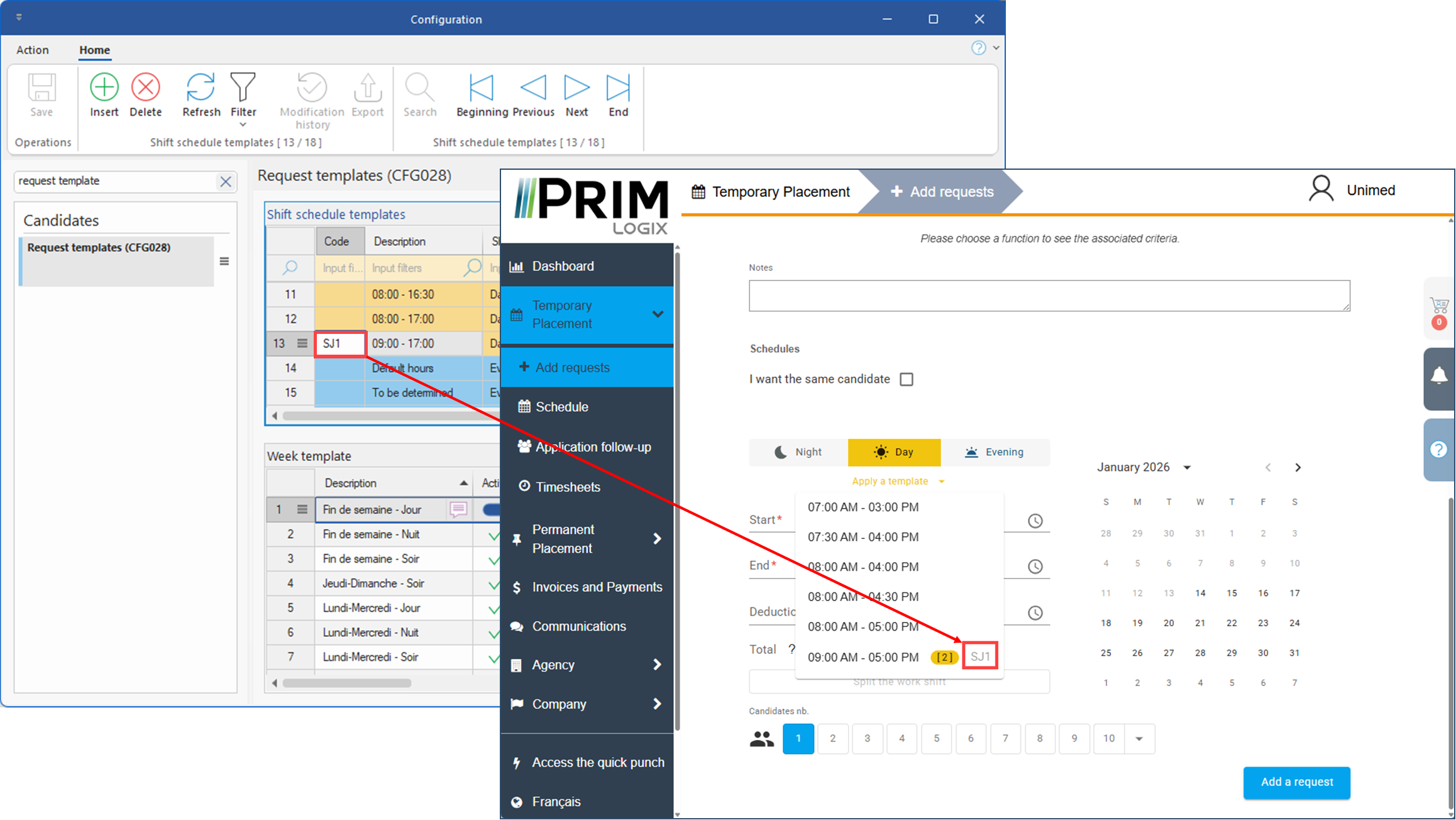
15.Accounting: Addition of a button to submit a factoring (financing) request directly to our partner, Liquid Capital Canada.
Fixes and improvements
16.Service continuity: Set up a backup system using secondary instances during PRIM server failures or maintenance.
Client action: To ensure a smooth transition, please allow outbound traffic on port 16003 in your firewall.
17.Web portal login: Authentication methods via Facebook and LinkedIn have been withdrawn due to low usage.
Client action: Inform Web users that connection options via Facebook and LinkedIn have been withdrawn.
18.Job board: Optimization of job board, including modernization of appearance.
Client action: Check the colors and labels of the job board in the backoffice.
19.Web portal - Candidate: Optimization of Training and Job History pages, including modernization of appearance.
Client action: Check colors, labels and permissions for these pages in the candidate area of the backoffice.
20.Web portal - Candidate and Client: Optimization of the Communications page, including modernization of appearance.
Client action: Check the colors, labels and authorizations of the Communications page in the candidate and client spaces in the backoffice.
21.Division Settings and Double Shifts: The division settings related to double shifts have been split to allow for values that behave differently depending on whether you want a simple warning or an error that blocks the assignment. For more details, see the Division Settings page undert Settings tab / Subtab - Shifts section .
Client Action: By default, the values configured in your division will trigger a warning that appears in the new constraints window without blocking the assignment. To enable a blocking error, configure the values in the Error section of the division settings for shifts.