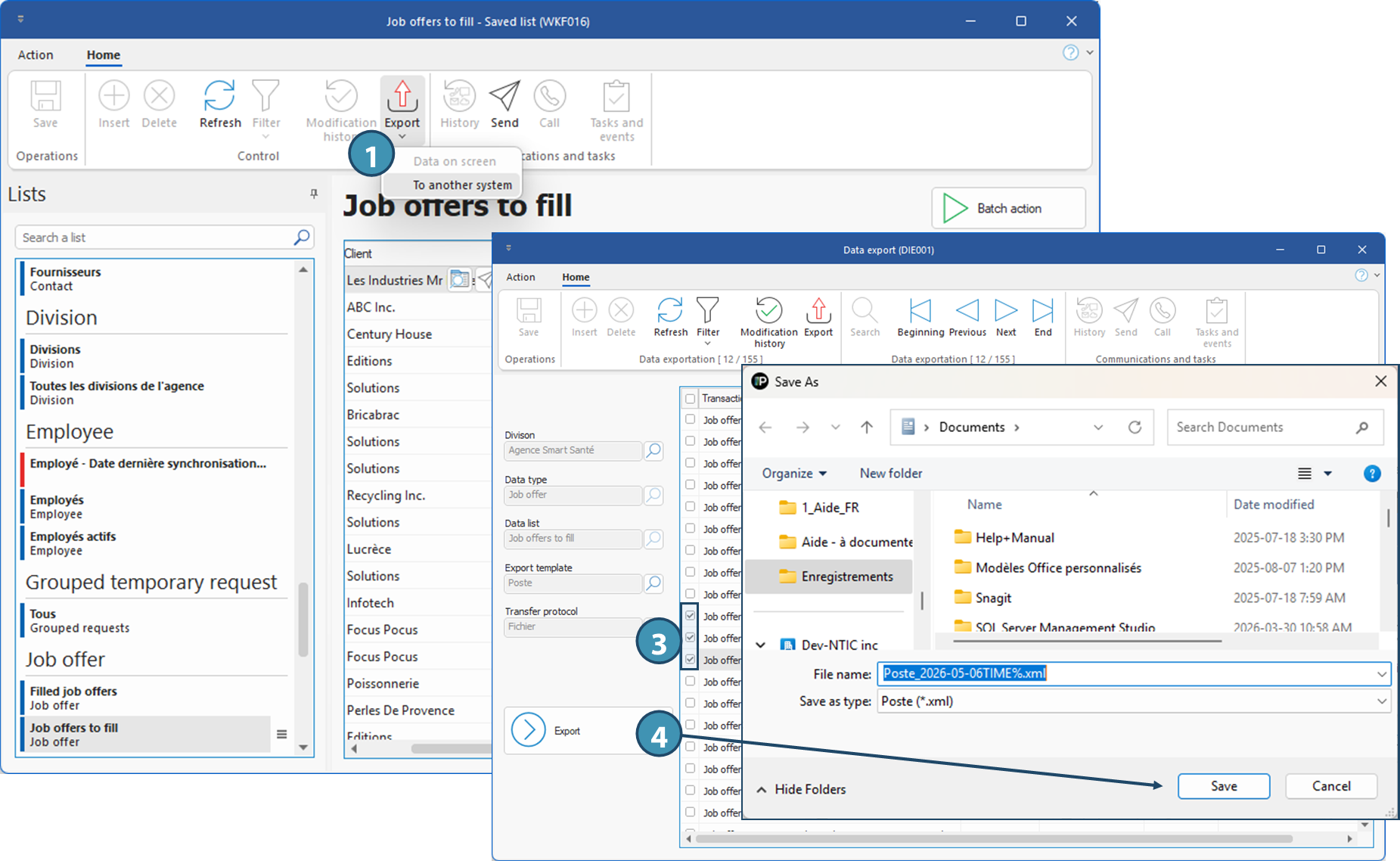
Export to another system (DIE001)
PRIM allows you to export your data to an accounting system, for example.
For this type of export, an export template and protocol are required. Templates allow you to automate your exports. For example, export files can be deposited in a defined directory (FTP), or sequential numbers can be assigned to your export files. You can configure a default export model and protocol according to the type of export in the division parameters.
Here is the list of entities that can be exported to another system:
•Candidates
•Clients
•Shifts
•Job offers
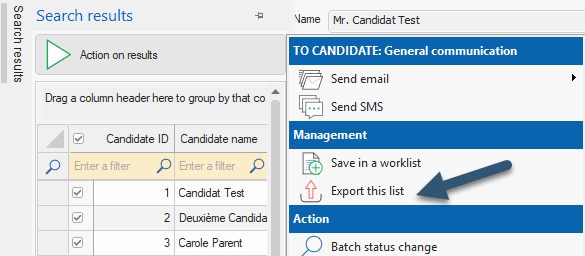
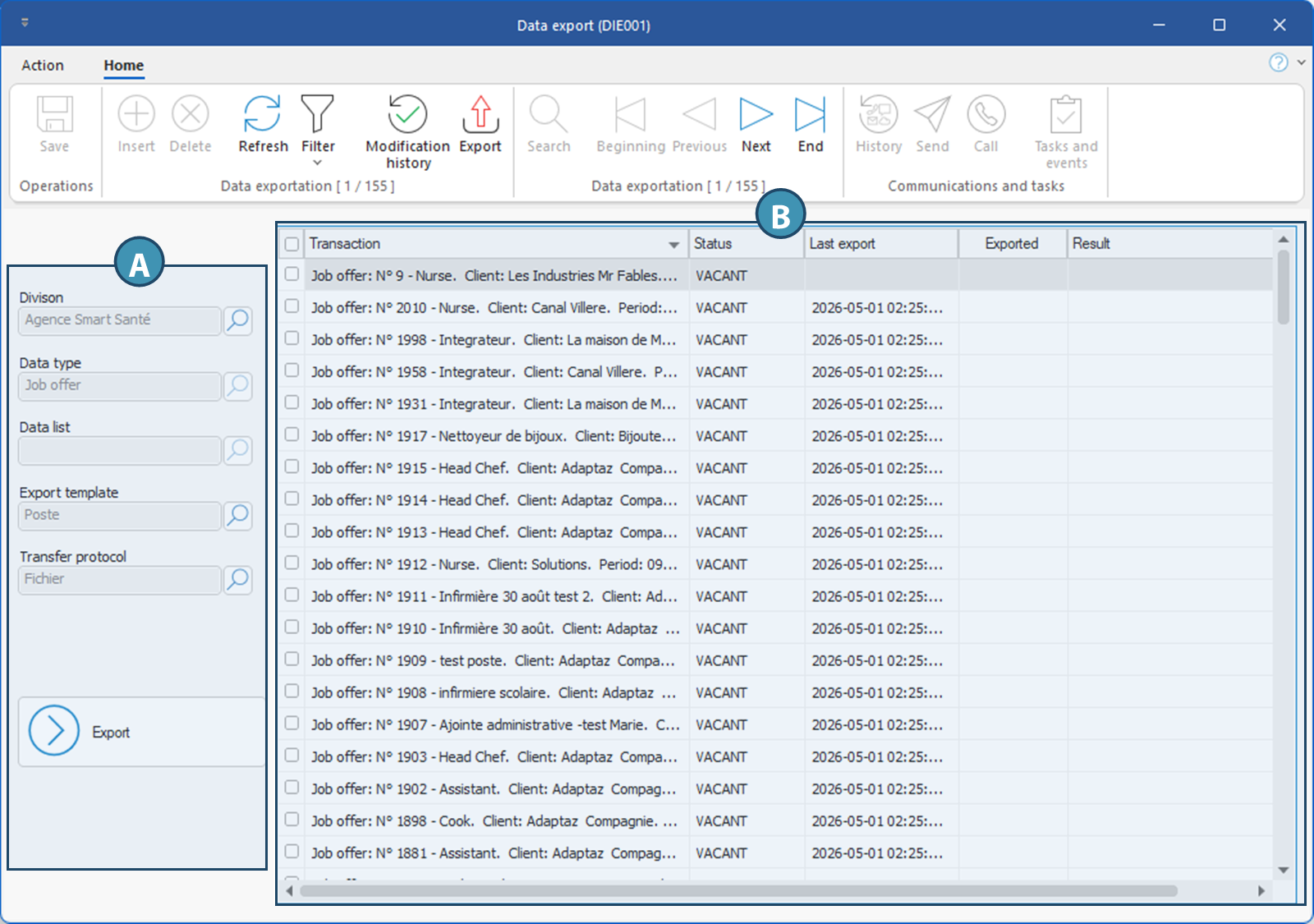
Exports to another system are performed from the Data Export (DIE001) window. To access it, click on the Export button in the Home ribbon of the relevant window or list and select the To another system option. You can also access it by clicking on Export this list in the Actions on results menu of the Search results pane of relevant windows.
The « Export » button in the « Candidate », « Client », « Shift » and « Job offer » windows allows you to export only the data relating to the selected record, and will therefore export this entity only. To export a complete list of candidates, clients, shifts or job offers, it's better to export from search results or a relevant list.
From a list or window :

From the Search resultspane
 Overview of the window and export example
Export example